WWDC 2026 delivered plenty to talk about. Apple's renewed AI push, Xcode 27 (that we shipped to customers in beta within 24 hours of the keynote!), and refreshing Liquid Glass. It also delivered a notable absence: no M5 Mac minis yet, which we covered separately. We've also prepared a standalone blog article covering the new Device Hub.
Now that the dust has settled, Bitrise’s Ben Boral went looking for the announcements that slipped past the highlight reel. If you're a mobile developer, these three are worth your time. And in true Apple fashion, we couldn't resist adding one more thing at the end.
1. App Intents: the best way to get users to open your app in 2026 and beyond
If Apple's operating systems are to successfully become AI-native, the entry point to your app is no longer guaranteed to be your icon on a home screen. Increasingly it's Siri, Spotlight, and visual intelligence reaching into your app on the user's behalf. If your app doesn't expose AppIntents and AppEntities, the system has no way to surface what it can't see.
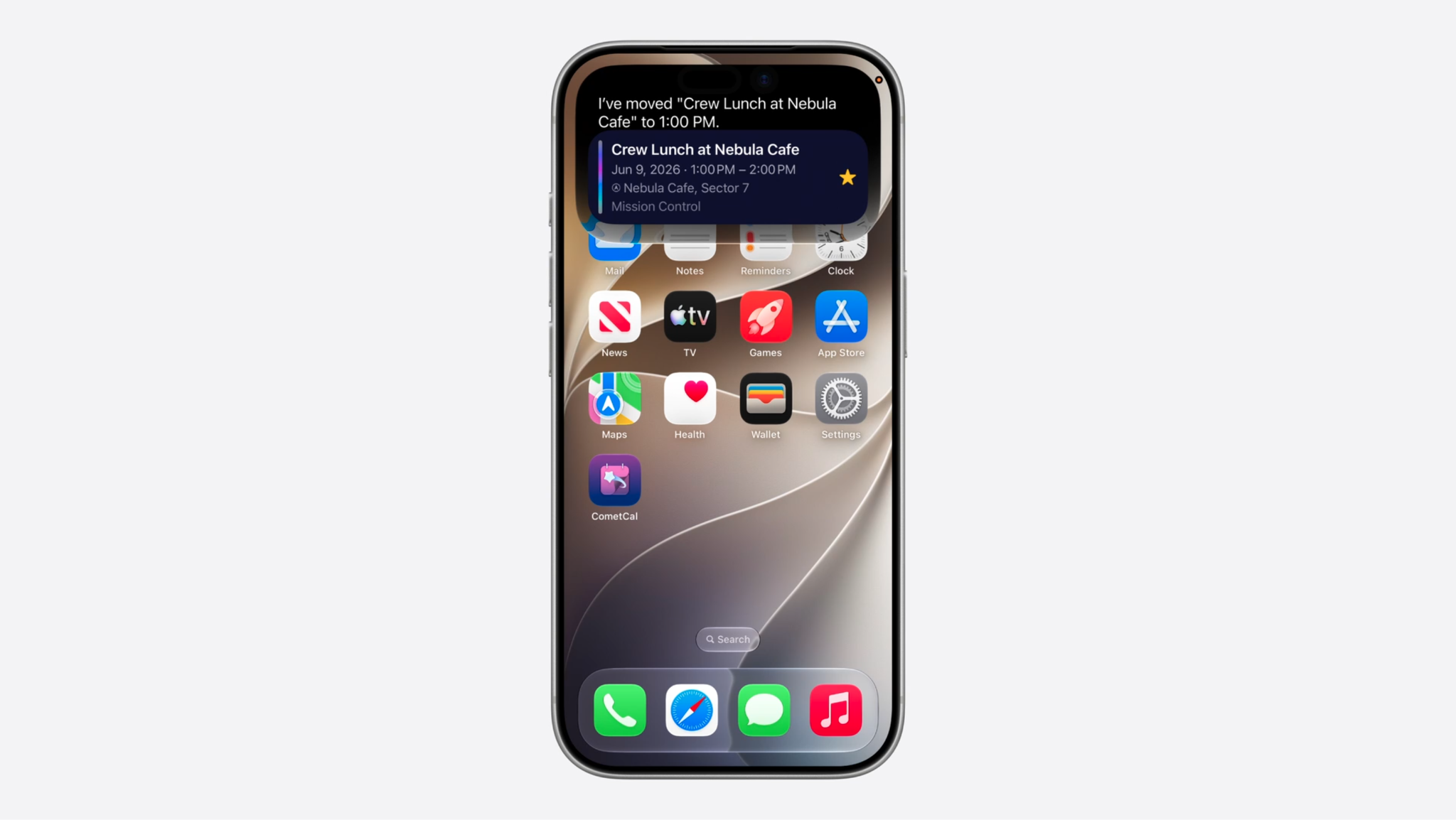
At WWDC 2026, Apple formally deprecated SiriKit. App Intents will become the sole framework Siri uses to call into third-party apps, and developers have a window of a couple of years before SiriKit-dependent features stop working.
App Intents was introduced back at WWDC 2022, and this year is the point where it stops being optional.
If you want to learn more, session 345, "Discover new capabilities in the App Intents framework" and its companion 344 “Code-along: Make your app available to Siri” are the best videos to review.
Some of the new features include:
- ValueRepresentation, which lets you share structured types the system already understands, so you can export an entity like a landmark as a PlaceDescriptor and have it flow straight into Maps for directions.
- RelevantEntities lets you proactively suggest entities tied to a context, like surfacing a music playlist when a workout starts.
- EntityCollection speeds up the querying and presentation of your app's entities.
- SyncableEntity shares entities across a user's devices (i.e. syncing between iPhone and Macbook).
Our take: adopt this now. If Apple is successful at fixing Apple Intelligence, the way users will access apps will shift to ways that depend on App Intents.
2. Instruments for FoundationModels
Depending on how long you’ve been developing for iOS, you remember having to deal with reference counting and managing the very limited resources of the early iPhones. Instruments was (and continues to be!) your best friend for profiling, identifying leaks, and generally ensuring smooth app performance.
On device models and the new agentic app experiences return us to those days. In 2026 the concern is model latency, model behavior, and token management.
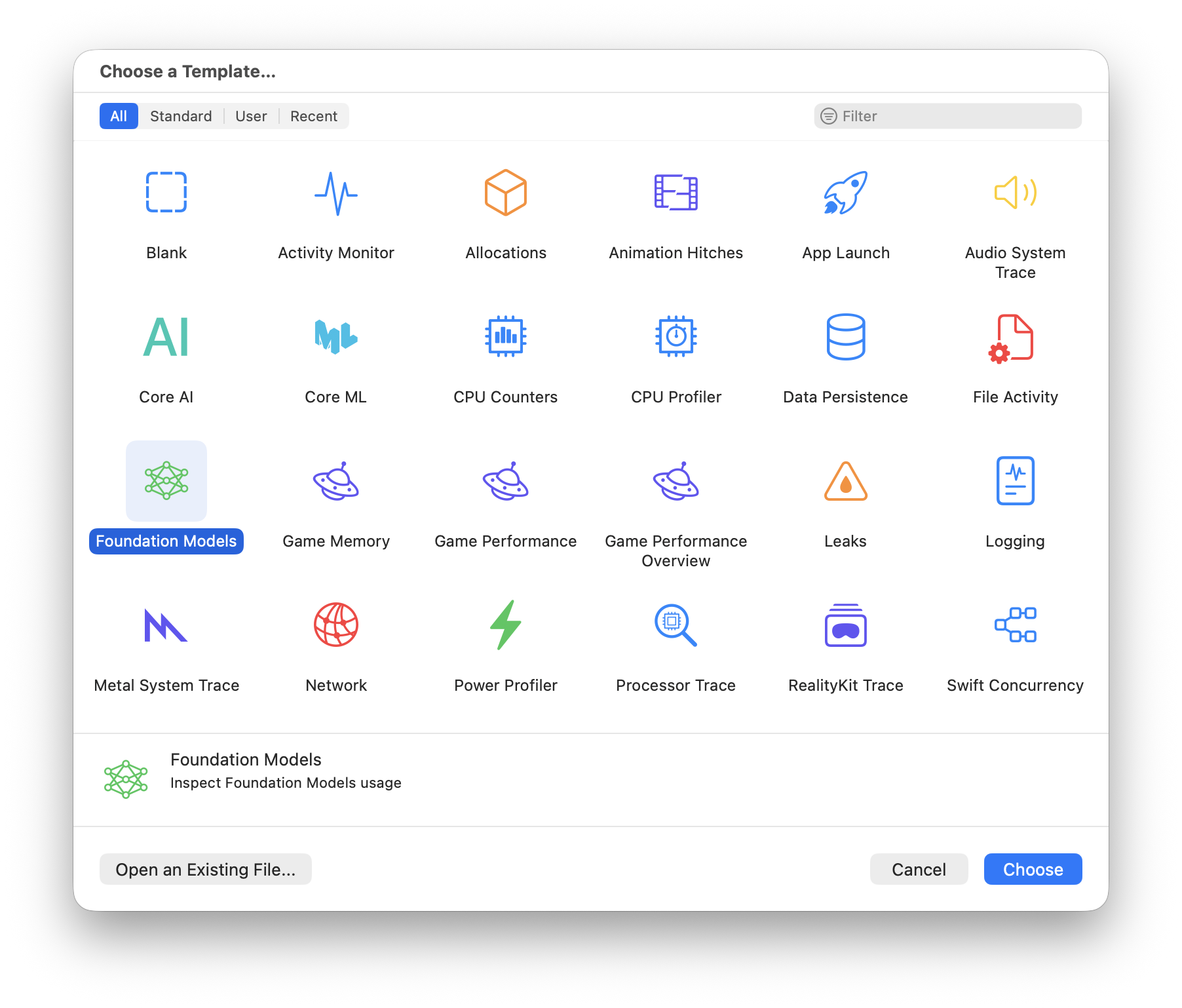
The new FoundationModels template in Instruments gives us a way to introspect the activities of FoundationModels to ensure correct behavior and good performance. The tool shows which instructions and tools are active at any moment, the sequence of model inferences and tool calls, and where the time is spent.
You can learn more in session 243, "Debug and profile agentic app experiences with Instruments.”
In the session demo, a feature kept running, never threw an error, and quietly did the wrong thing. Instruments made it quite simple to debug. The tree view organizes everything into a hierarchy you can walk (sessions, requests, inferences, instructions, prompts, responses) and an info column flags the nodes worth a second look: errors, long durations, large token counts. In the case of the demo, Instruments showed that the wrong instruction was used by FoundationModel. This would otherwise be invisible to us.
One caveat worth keeping in mind as you design: Instruments only helps if your AI feature actually goes through Foundation Models. A feature that calls some other LLM SDK directly, outside the framework, won't be traced. That's a real input into which approach you choose, not just an afterthought.
When it comes to performance, the session centers on three metrics, each with a lever.
- Time to first token is how long the user stares at nothing before the response starts; shorten the prompt to bring it down.
- Tokens per second is generation speed; use it to benchmark different prompt configurations and to catch regressions.
- Total latency is the number the user feels most directly; lean on streaming to surface partial results sooner.
Consider that the levers aren't fully independent. Shortening a prompt to cut time to first token also shifts your tokens-per-second baseline.
Our take: if you ship an agentic experience with FoundationModels, this is a necessary quality check.
3. Xcode 27's best quiet upgrades are in performance tooling
Xcode 27 brings with it a range of exciting and much-talked about features, including agentic plugins. Two enhancements in session 258 are less flashy but arguably more immediately useful: they make it faster to find where your app is actually struggling.
Two highlights toward the end of session 258, “What’s new in Xcode 27,” were enhancements to Organizer and Instrument’s new Top Function capability. Both features speed the loop between noticing a problem and fixing it.
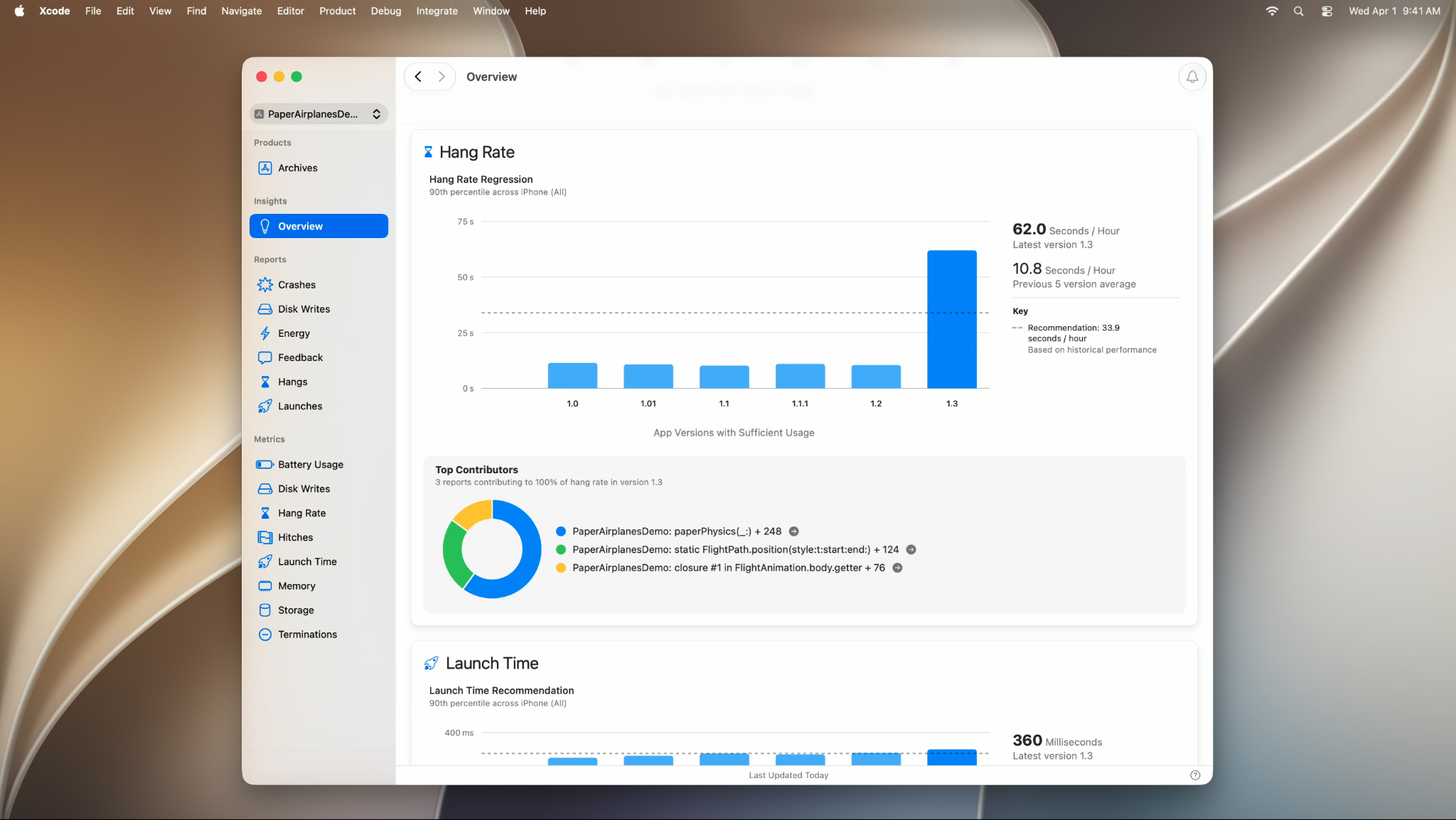
Top Functions surfaces your most expensive code paths quickly (in the demo, a frame hitch got traced to a single over-iterating physics loop). The Organizer is a redesigned overview that puts the highest-impact issues first, tracks new app performance metrics, and sets metric goals calibrated against similar apps and your own historical baseline. If Organizer presents a problem you think is worth fixing, then a coding agent-powered, context-aware “fix it” button makes it easy to fix.
Our take: Once you’re on Xcode 27, you’re going to want to use these. Considering there’s effectively zero adoption cost, there are only positives here: it will help you pinpoint and prioritize your app's performance bottlenecks.
One more thing: Container Machines
The developer community has wanted better docker support on MacOS since the beginning. There have been a range of tools to run containers including Boot2docker, Docker Desktop, Colima. Now Apple has finally presented their own solution: container machines.
Presented in session 389, “Discover container machines,” container machines are built on Apple's open-source Containerization framework and the container CLI, now at 1.0.
Container machines enable running OCI Linux containers on macOS. They have sub-second VM start times, and automatic host user and filesystem mounting. This is useful for developing Linux-based server applications on Mac and for app developers, they could support running your app's backend locally if it's packaged in an OCI image.
Our take: We’re taking a wait and see approach. We don’t see a multi-container orchestration tool (like Docker Compose), which you'd need for any realistic back-end stack with more than one service. Container Machines have a 1 VM-per-container model (compared to Docker Desktop's single VM approach). More investigation is needed to understand the performance implications.
Get started for free
Get a 30-day free trial and join the 400,000+ mobile developers who already love Bitrise.
Start free trial