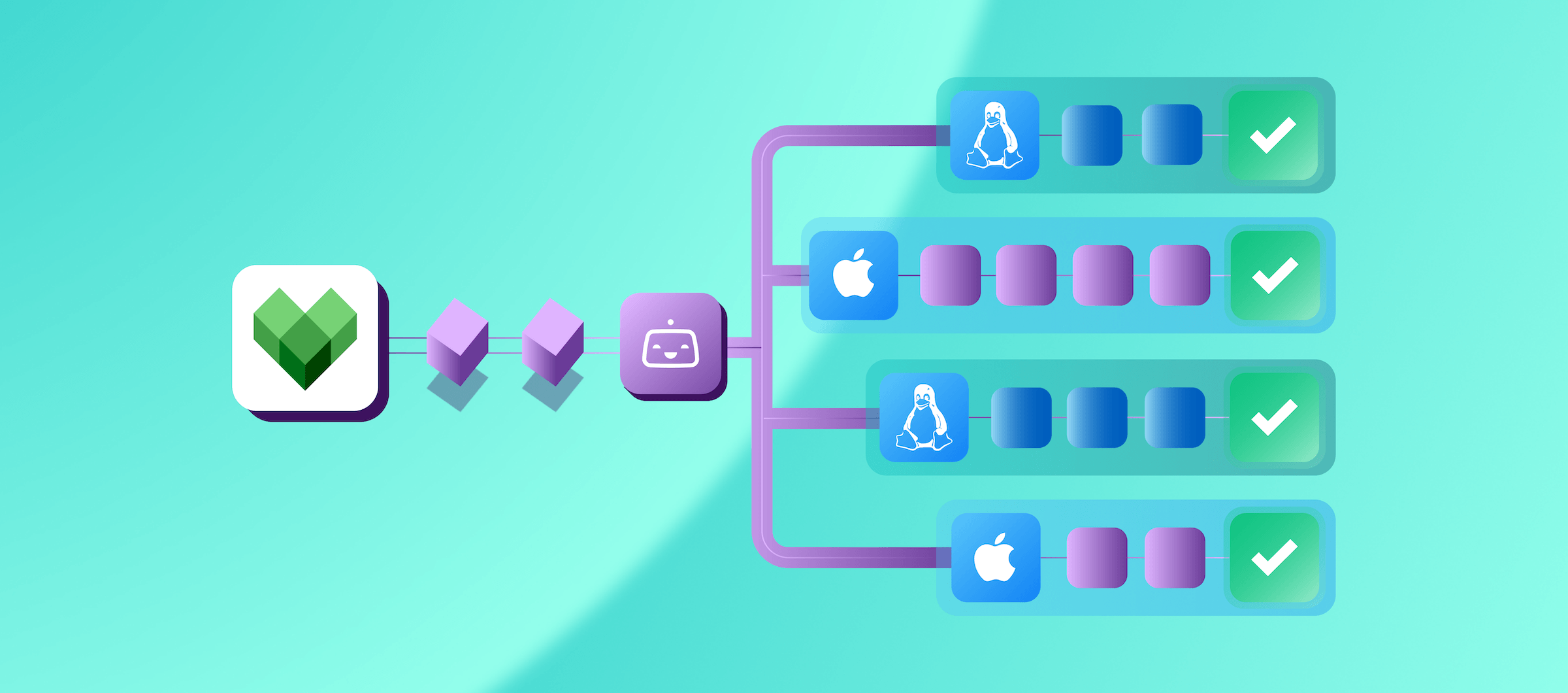

When the engineering team first described what they wanted to build, I nodded along like I knew exactly what they meant. Gradle task inputs. Cache misses. Invocation diffs. Sure, totally. I wrote it all down and quietly Googled half of it afterward.
That was my introduction to designing Gradle Task IO for Bitrise Build Cache, a feature built to help engineering teams understand why builds are slow and get more value from build caching. I was the solo designer on this, which meant I owned every research session, wireframe, and late pivot. It turned out to be one of the most technically dense, constraint-heavy, and interesting design problems I’ve worked on. Here’s an honest look at what made it hard.
The problem: diagnosing Gradle build cache misses
Imagine you run the exact same Gradle build twice. Once it finishes in two minutes. The next time it takes twelve. Nothing obvious changed. Now imagine being the engineer whose job is to figure out why.
That’s the problem Gradle Task IO was designed to solve: helping developers understand why a Gradle build cache miss happened and which task inputs changed.
Builds that should be fast because most of the work could be pulled from cache can end up re-executing tasks unnecessarily. Maybe a compiler flag changed. Maybe an environment variable was different. Maybe an upstream generated file was slightly modified. Without visibility into what actually ran and why, engineers are left guessing. And guessing at this scale costs hours.
The feature I was designing was meant to fix that. To show which tasks ran, what their inputs looked like, what changed, and why a task didn't get served from cache. A straightforward goal. Less straightforward to design.
Challenge 1: Designing a Gradle task debugging experience without a UX precedent
Usually, when I start a new project, I look for reference points: how have others approached this? What patterns already exist? For this one, I found almost nothing. I found one similar tool but its UX wasn't what I would call intuitive or inspiring. That was it.
So I had to build from the ground up. The data was dense, hierarchical, and very technical, including thousands of input files per task, compiler flags, environment variables, and file trees. How do you turn that into something an engineer can scan and understand when they are already frustrated with a broken build?
The thing that unlocked me was talking to real users and experts. I ran sessions with engineers and customer success managers, and kept hearing the same thing: nobody looks at a slow build in isolation. They always compare it to a faster one.
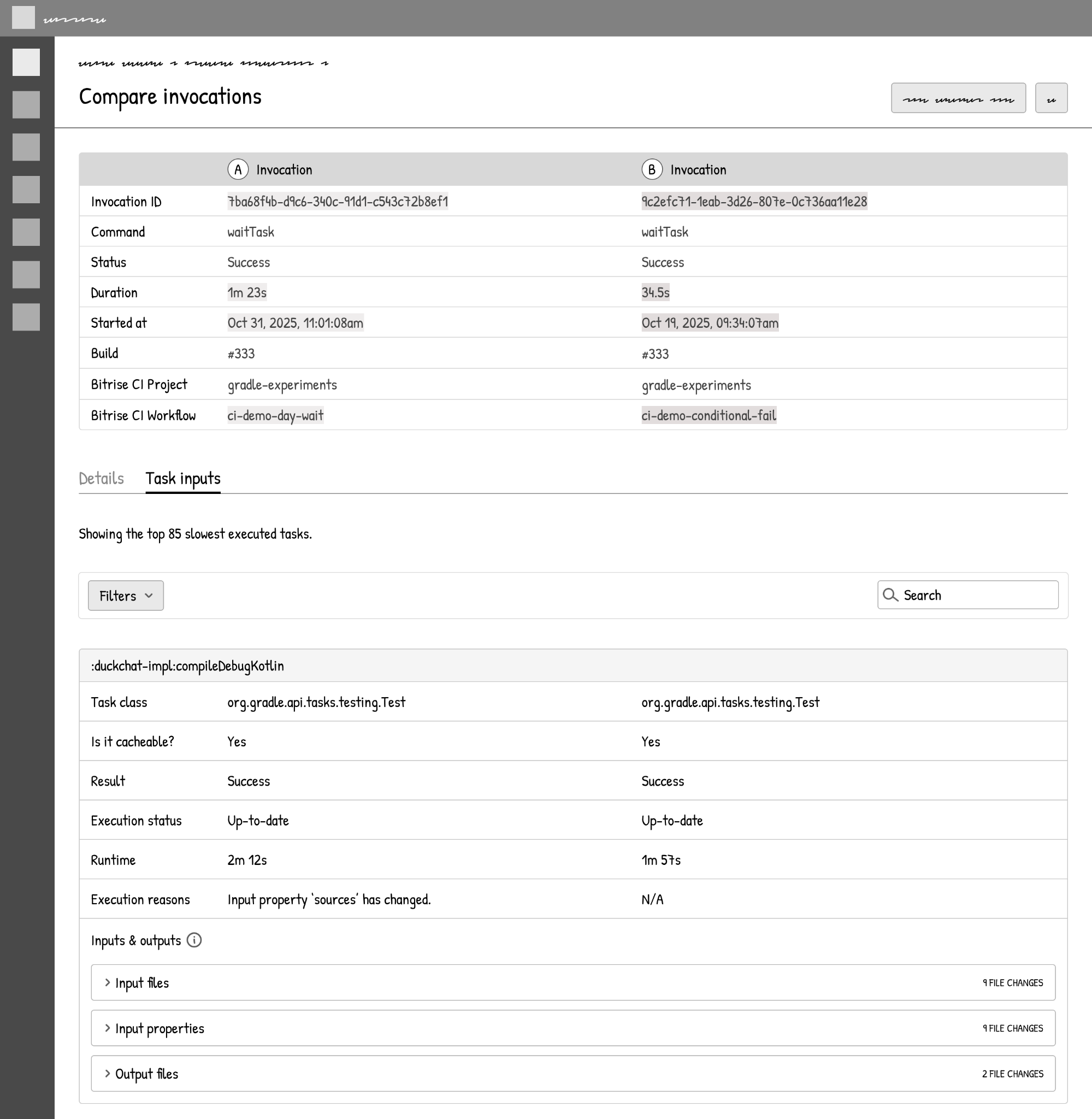
That was the insight I needed. Instead of designing around a single invocation, I restructured the whole UI around comparing two builds: pick a slow one, pick a fast one, and see exactly what changed.
Challenge 2: Making Gradle task input data usable at scale
Here's something that doesn't come up often in UX case studies: the cost of data.
A single Gradle task can reference thousands of input and output files. Collecting detailed execution reasons, the “why didn’t this come from cache?” information, has real infrastructure and storage implications. Every design decision I made had a hidden cost attached.
This forced a discipline I was not used to. I could not just design the ideal experience and hand it to engineering to figure out. Every choice, from whether to show full file trees to whether to load execution reasons by default, had to be validated against what the backend could actually sustain.
The solutions I landed on: pagination for large file sets, lazy-loading for heavy data, server-side diffs so we're not shipping entire datasets to the client just to highlight what changed.
Not the most glamorous design decisions, but they're what made the feature actually shippable and sustainable.
Challenge 3: Designing with limited user research
The project ran through the end of 2025, which meant broad external user testing wasn't really an option. I ran quick internal usability sessions: two people, informal and fast, and gathered feedback through customer success managers who were working directly with customers in proof-of-concept sessions.
That's a thin foundation for a technically complex feature. I made it work, but I'd be lying if I said there weren't moments where I was making educated guesses and planning to iterate later.
The compare-first mental model held up well in internal testing, which gave me confidence. But there is a lot more I will learn once real customers start using it in their debugging workflows.
Challenge 4: Keeping design and engineering in sync
I've worked on features where design finishes, hands off, and engineering builds. This was not that.
Because the UX was so tightly coupled to what the backend could provide (and those constraints kept changing as I got closer to real implementation), the design had to keep evolving.
I spent a lot of time in conversations with the technical lead, validating feasibility, adjusting API shapes, and sometimes scrapping a design direction because the data I needed was not something we could reliably surface. It was slower than I would have liked, but it was the right way to do it.
What we shipped
The feature launched as two complementary views.
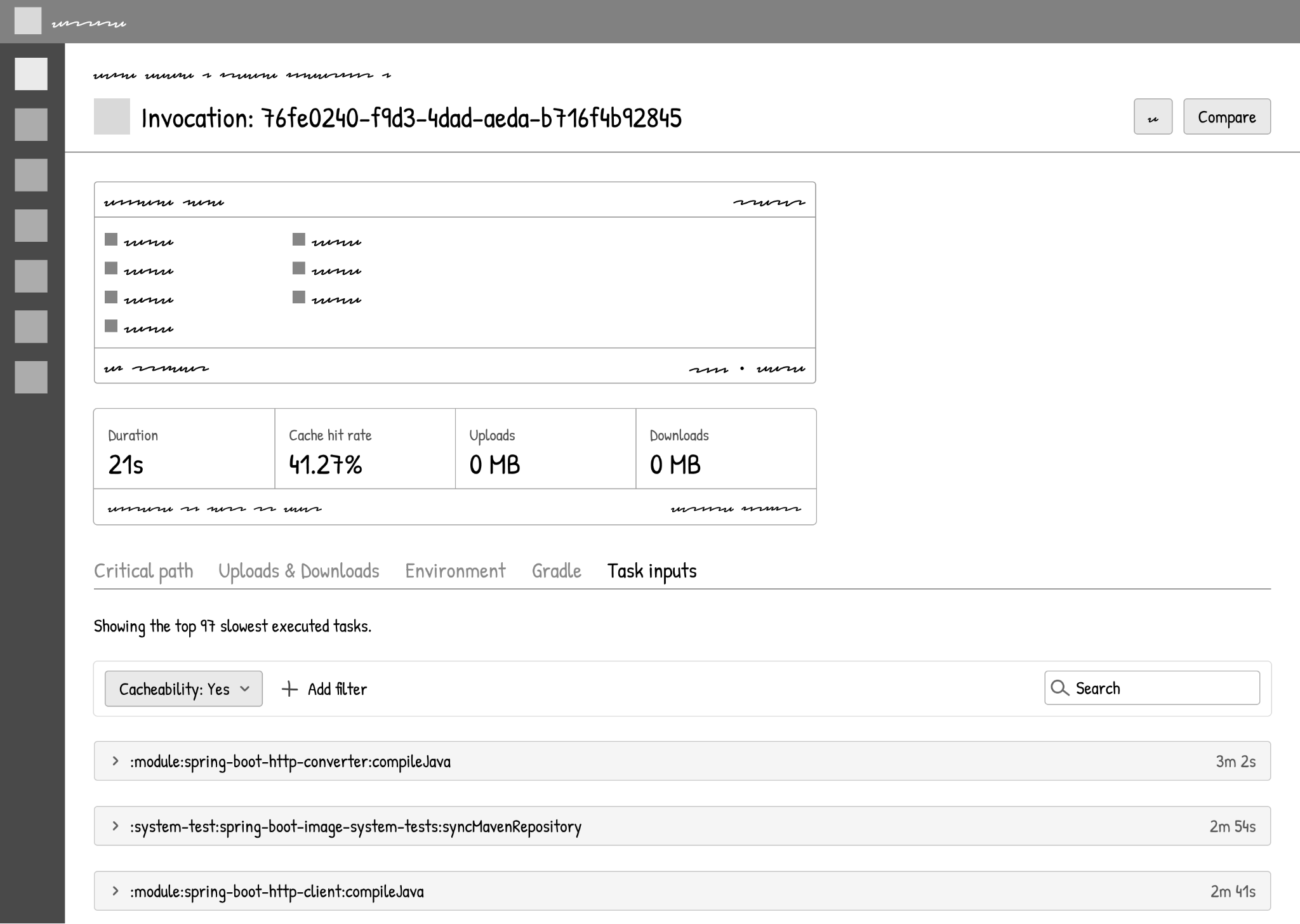
The Task Inputs tab gives you a per-invocation view: which tasks were slowest and not served from cache, what their input properties were, and a paginated file tree of everything that fed into them.
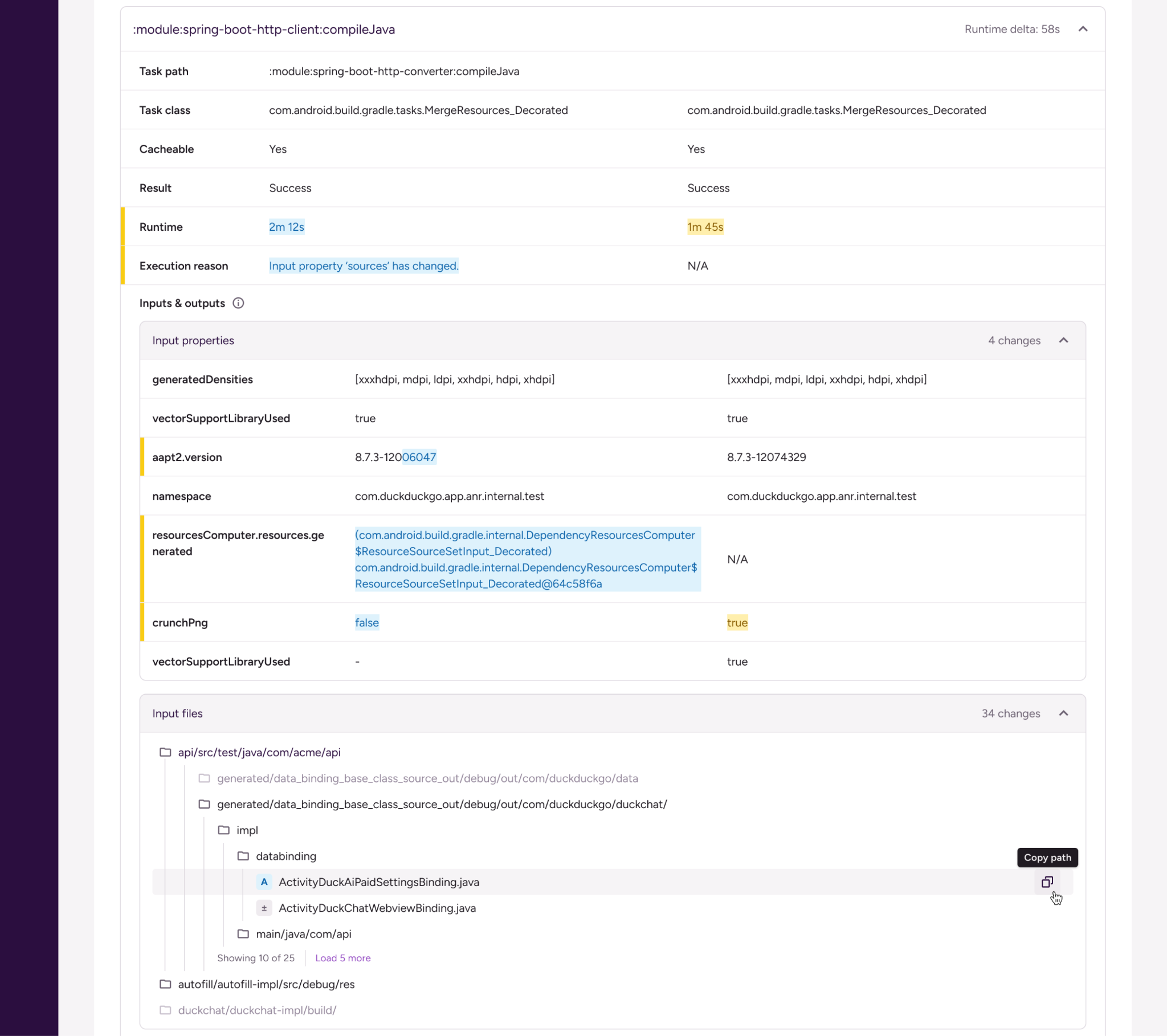
The Compare page is the compare-first workflow: side-by-side diffs between two invocations, highlighting changed properties, file deltas, and dependency version bumps, with AI-generated summaries to cut through the noise.
Early feedback from internal users was encouraging. CSMs reported being able to point to concrete task-level differences in customer calls instead of speculating.
What I’d tell a designer working on developer tools
Get comfortable with infrastructure constraints being a design input, not just an engineering problem. The sooner you understand what data is expensive to collect, the better your design decisions will be, and the less you'll have to redo after implementation starts.
Invest in understanding the mental model of your users, even if you can't do as much research as you'd want. The compare-first insight was the most valuable thing that came out of my research, and it shaped every major decision after it.
And accept that with features this technically complex, you're probably going to iterate after launch.
Want to see what changed between your slow build and your fast one? Try Bitrise Build Cache for Gradle on your next invocation.
Get started for free
Get a 30-day free trial and join the 400,000+ mobile developers who already love Bitrise.
Start free trial