Build in parallel on a fleet of Linux and macOS machines for even faster builds
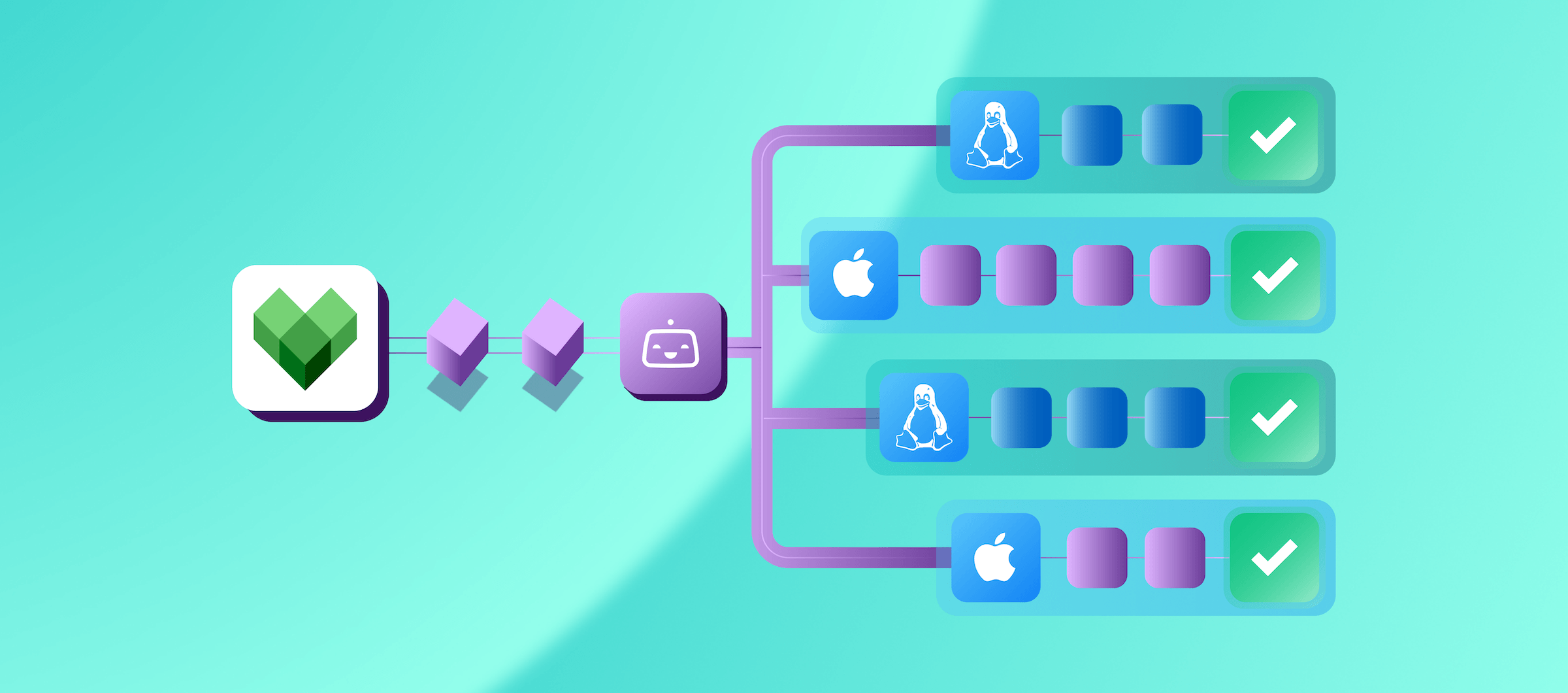
With Remote Build Execution (RBE) your Bazel build and test compilations run in parallel across many remote workers at once, instead of in series, one by one on a single machine.
How Bazel Remote Build Execution works on Bitrise:
What's new in Bazel RBE
Bazel RBE UI
Instead of hunting for RBE inside your workspace’s settings, you’ll now find it in the Build Cache tab.
Machine monitoring
You can now see CPU, RAM and disk usage for your Bazel RBE machines. That makes it easier to tell when workers are under pressure and whether your machine types fit your workload.
Bazel build failures
Failed Bazel invocations in Build Cache now show which targets failed on the invocations page, capturing the outputs of failing actions from remote workers that may be gone by the time you look.
Spending visibility in Bitrise Insights
Bazel RBE workers consume paid VM minutes, and now you can see exactly where those minutes go. Bitrise Insights shows usage broken down per machine type, the same way Build Minutes Utilization Insights already does for your CI spend. If you've used that view before, this one will feel familiar.
Pricing you don't have to relearn
Every minute a Bazel RBE worker runs costs the same as a Bitrise CI machine minute for that VM and machine type.
There's no separate RBE pricing model to understand, no new unit to budget against—RBE spend shows up in Insights next to your existing CI minutes, and it's billed the same way.
Bazel RBE and Bitrise Build Cache work together
If you're already using Bitrise Build Cache for Bazel, RBE is the natural next step.
As you know, build cache avoids repeating compilations already done, by downloading unchanged artifacts from the cache. While RBE parallelizes the work you haven't yet.
Together they stack and reduce build times from both directions.
Getting started with Bazel RBE on Bitrise
- Contact us so we can enable Bazel RBE for your account
- Follow the setup flow to configure your workers.
- Run a build and see it populate on the invocations list with the ‘RBE’ pill
- Check Bitrise Insights to see your Bazel RBE minutes by machine type as builds run.
Full setup steps are in the Bazel RBE documentation.
Ready to try it on your own builds?
Start a 30-day free trial of Bitrise Build Cache and ask us to switch on Bazel RBE for your account.
Get started for free
Get a 30-day free trial and join the 400,000+ mobile developers who already love Bitrise.
Start free trial