An engineer's view of rebuilding CodePush after App Center
When Microsoft retired App Center, React Native teams lost the service they used to push over-the-air updates. At Bitrise, we decided to build a replacement. This is the story of what we rebuilt, what broke, and everything else. A few details are confidential, so I've simplified some parts, but the story is true. New to CodePush? It lets you send JavaScript and asset updates straight to your users' devices, without waiting for an app store review. Our CodePush guide covers the basics.
When App Center shut down
In March 2024, Microsoft announced it would retire App Center in March 2025. For a lot of mobile teams, the first question was simple: what now?
I was on the Release Management team at the time, and we thought CodePush was worth pursuing. We wrote up the case, got it onto the roadmap, and then waited. Nobody could say yet whether it would become a valuable product, and a team our size has to pick its bets carefully.
Then App Center shut down, and its former customers started holding off and turning up on community forums looking for alternatives. Microsoft had open-sourced its CodePush repos and published a self-hosted server, so teams could run it themselves, as long as they were happy to own the infrastructure.
That's when we got the green light to explore our options. The task ended up on my desk, and like any developer, I started by reverse-engineering how the whole thing worked, so that I could propose solutions matching the various levels of integration — after all, if we were going to support CodePush, we wanted it connected to the rest of the Bitrise platform, not bolted on the side.
Why we rebuilt CodePush instead of rehosting it
During my investigation, it became clear that the legacy server code had grown tangled over the years and would need a lot of care. Meanwhile, a workable proposal also took shape: let's rewrite the server code while supporting a community SDK. What do we gain from that? Quite a lot:
- we could connect it to existing Bitrise Accounts,
- we could connect it to Bitrise Release Management,
- we could swap out Azure Storage for anything,
- we could build new features on top,
- we would get full control over the code's performance,
- we could support the community, and the community can support us.
Of course, the other options had to be presented alongside it:
- We could join the development of a community server and gradually extend it with the pieces that matter to us,
- Or we could spin up the abandoned self-hosted solution and extend the legacy code later,
- Or we could spin up that self-hosted server and rewrite it in parallel.
Even then, it was clear that if we just stood up the ready-made self-hosted server on our side and our users started using it, extending it further would be very, very, VERY hard. So I could only hope that they'd accept the proposal above.
The estimation: you already know how this story unfolds
Fortunately, everyone liked the idea, so along came the usual manager question:
“How long will it take, when will it be done?”
My answer: one month if all goes well. Three at most.
Spoiler: Development took more than a year before the project reached general availability.
And what happened in all that time? So much more than I ever would have thought. This was before AI coding tools took off, so we did everything by hand. Yes, manually!
Predictably, no amount of planning helps when you have to reverse-engineer legacy code bit by bit; surprises are bound to show up. On top of that, the product was mostly built lone-wolf style, with help from a teammate here and there, but that's understandable too, since there are other important tasks in the life of a team like ours. I wrote the boilerplate quickly because I knew what I wanted. For the best results, you'll need a pinch of Memory Store, one tablespoon of RDBMS, and a generous helping of our favorite programming language, Go, to taste, of course. Then we replicated the basic behavior. It was a TypeScript → Go conversion in the most literal sense, powered by coffee.
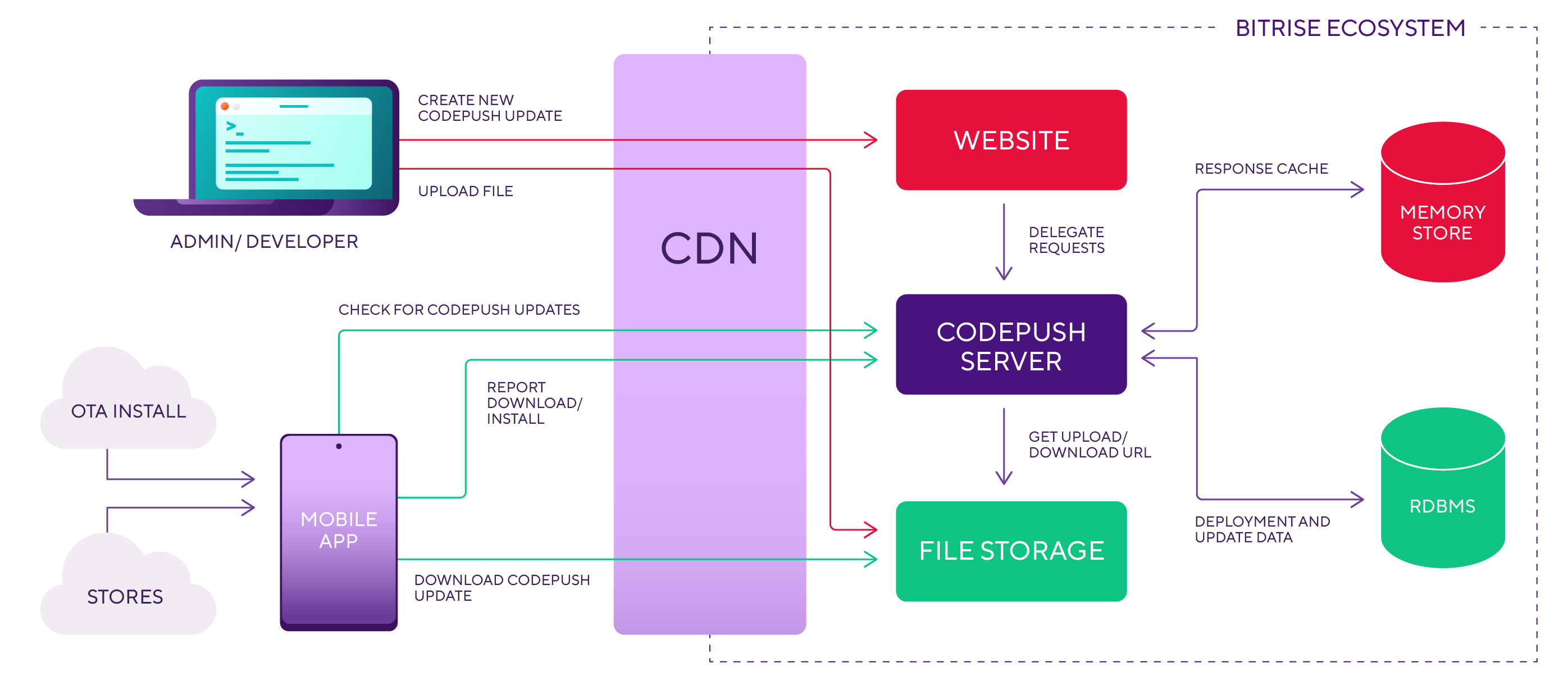
When everything seemed to fall into place, we built a React Native mobile app, set the test server URL in the SDK code (well, that took a while to find too), and created our first CodePush update, which we then uploaded to the test system. You'll never guess what happened… Nothing! Not a blessed thing. The upload succeeded, but the test app never received the update. After some digging, we did find the source of the problem. Of course, we'd set the keys wrong, the server was listening on the wrong URLs, and it wasn't responding in the expected format. Initial hiccups.
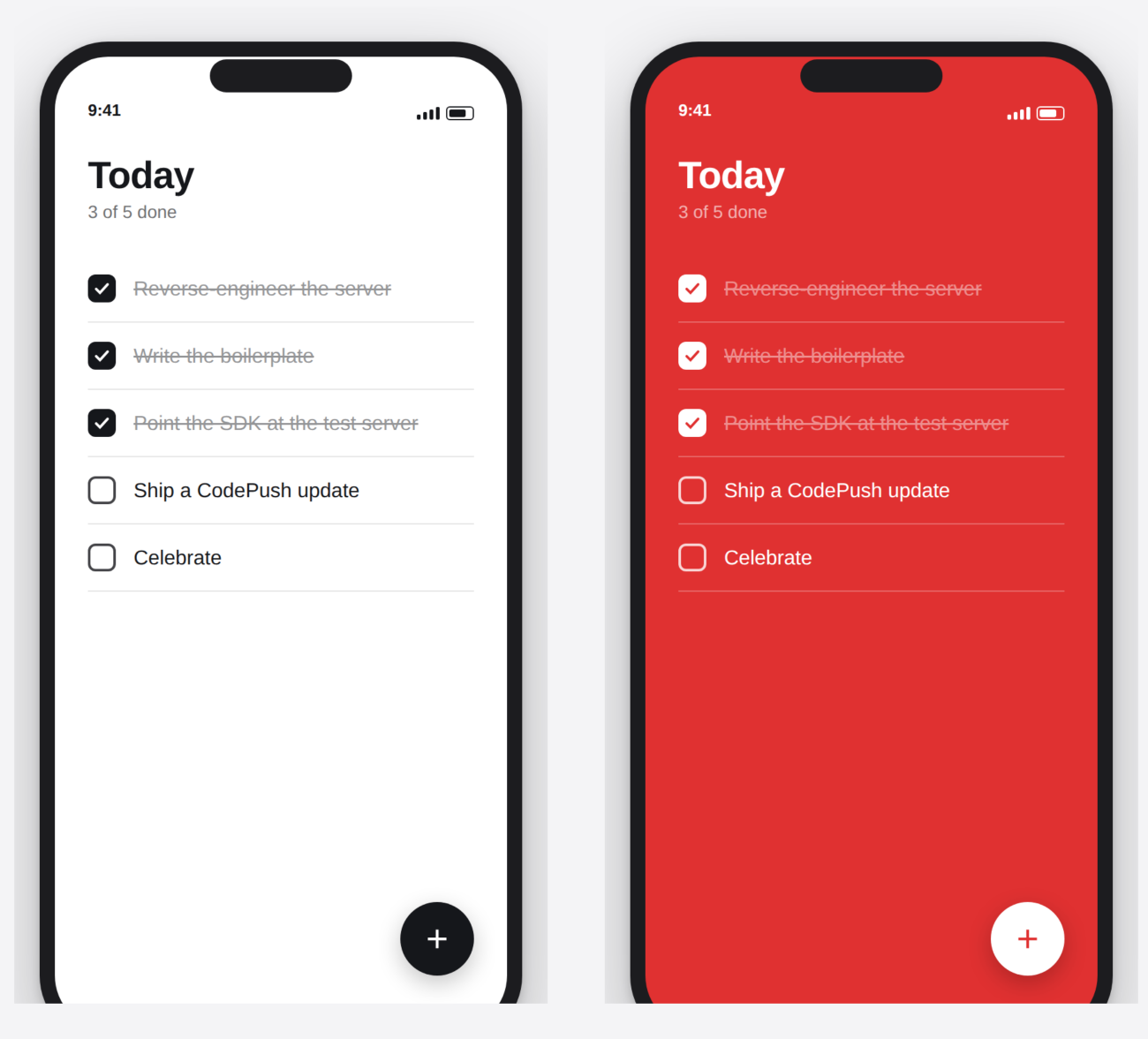
We misunderstood a few things, so to prevent further errors, we asked a mobile expert colleague with more React Native experience to help us set up a working test app and clear up the misunderstandings. That's how we made it to our first successful CodePush update, in which we changed a white background to red. And yet that simple color swap meant a great deal to us, because by then the system wasn't using Azure Storage anymore, but GCP. That was our first real step toward independence.
From proof of concept to production
In the months that followed, we started wiring in Bitrise Auth and mapping CodePush updates to the apps in Release Management. We put together every piece of the proof of concept (POC) we had agreed on, but more slowly than planned. By the way, the feature set stayed fairly limited: no CLI, no code signing, no bundle diffing, no metrics.
Fortunately, we got the green light to carry on and finish the product. Since we hadn't built the POC with test-driven development (TDD), the first step was to make up for the tests we’d skipped, so we wouldn't break what already worked.
From 100 to 20,000 requests a second
With the tests in place, it was time to find out how much traffic it could take. We weren’t going to hand customers a product that would fall over the first time an app with a few hundred thousand users was opened on a Monday morning.
First you have to come up with a target number, but we had a whole pile of questions:
- How many requests do we need to handle?
- How many customers do we expect in total?
- How many CodePush updates will there be?
- And many more…
No matter how much we dug around the internet, we couldn’t find concrete answers. This is when the idea of beta testing was born, but more on that later. If we don't know the answer to any of these questions, then what do we test?
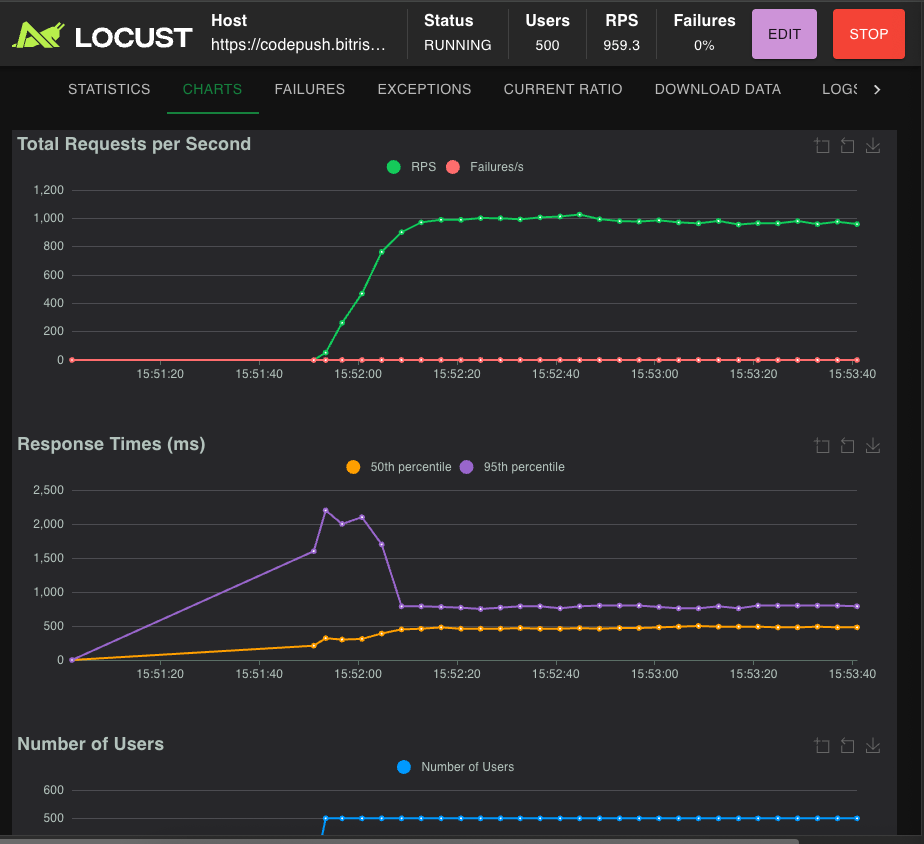
We settled on measuring how many requests a single instance can serve concurrently. First, we built a small Go application to generate a given number of requests, but we quickly realized that neither the tool nor the results were what we needed. Around that time, our colleagues showed us a nice little tool for exactly this: Locust.
We started using Locust on our local machines, the way other engineers here had done before. We hit the ceiling almost immediately. Our own bandwidth was the bottleneck, and response times went through the roof.
Locust also offers a hosted option that spreads the test across multiple machines, but it didn't fit our needs or budget. The Locust CLI can do the same thing, running a main node with worker nodes, so we built our own distributed setup. We used it for the performance tests, so we could hit the server's endpoints directly. We modeled an update flow: an update-check call followed by one or more status reports. And the result? 100 requests a second. Horrifying.
We had several ideas for speeding things up:
- Tuning the number of active and idle DB connections.
- Tuning the number of active and idle Memory Store connections.
- Introducing a better cache: thread-safe, with only one thread populating it on a miss.
- Introducing the Singleton pattern where applicable.
- Removing tracing from the critical paths.
- Passing pointers instead of copying objects.
- Replacing the HTTP server implementation with a faster one.
- Making some functions async.
For some of these, we used the Go profiler (pprof). After these modifications, we measured the performance again.
The new result: we couldn’t measure it.
Why? The current system, the Kubernetes cluster where the CodePush service is deployed, has a proxy that redirects the requests. This proxy is Istio.
Based on the stress testing results, Istio could handle ~20,000 req/s. At that level, Istio’s CPU starts to throttle and becomes the bottleneck — which is why we never found the service’s own ceiling. So the service could handle more; the ecosystem just wouldn’t allow it.
Why caching mattered more than raw speed
Will this cause problems? Not if we handle the response cache properly. The thing to understand about CodePush is that the update check doesn’t happen when you publish an update. It happens every time an app starts, or every time it comes back to the foreground (depending on the setup). So the traffic scales with how many people open the app, not with how often we ship. And the response doesn’t depend on who’s asking, only on which version they’re already running. Either there’s nothing new for them, or there's exactly one new update, and it's the same one for everyone. That’s what makes it cacheable. With the right cache in place, most of those requests never reach the service at all, so we stopped chasing its ceiling.
Time for beta testing!
We had no real experience with CodePush, so we invited a small circle of customers to help us collect real usage data. This was the Private Beta phase. Long story short, we had to expand it quickly because we didn't have many volunteers for the Private Beta, and we didn't get as much data as we hoped for. We decided to open it up and set a target of 25 Open Beta testers. That number was about two different things: enough real traffic to make the system misbehave, and a small enough group that we could still talk to them every week or two. For the new candidates, we also prepared a setup guide to speed up onboarding.
The newer beta testers really did start using the system, which helped us identify multiple bottlenecks. The two main problems were the number of update-check requests and the increasing response latency. The community SDK's missing retry mechanism caused real problems too. The fix was easy: a small SDK change, exactly the kind of contribution we hoped to make when we chose to build on a community SDK. We opened a pull request, but it hasn't been merged yet. That's one reason the team has since decided to take on the SDK itself (more on that at the end).
To fix the bigger problems, we had to redesign the whole architecture, including how we use file storage, CDN, Istio, and Memory Store. I know this could be one of the most exciting parts of the story, but I can’t share the new architecture and the solutions we chose. It’s confidential :) though I can share other parts.
Building the CLI with AI
Beta testing also surfaced some feature gaps. As you may know, Microsoft App Center had a CodePush CLI that made creating updates simple. We'd dropped that idea for the POC, but the customer calls confirmed what we already suspected: working through the API alone was painful.
Around that time, some of our leadership started experimenting with AI tools. Our CEO, Barnabás Birmacher, came up with the idea: he would vibe-code the CLI, and we'd only need to verify it. Verifying it took rather longer than that sounds. The generated code was far from perfect, but it worked as a good starting point.
He handed it over with one request: "Please use only AI tooling to develop this further." That meant learning AI-assisted development fast. There was plenty of back and forth with the AI, mostly misunderstandings on both sides, but step by step we tested, hardened and finished the CLI.
After launch: what customers asked for next
This was when we decided to make CodePush generally available. We launched it for free at first, partly to gather more usage data and partly because pricing turned out to be hard and we couldn't finish it in time. I was part of the planning, and finding a price that's fair for customers and sustainable for us took months.
Code signing
In parallel, further requests started coming in, and one of the most requested features was code signing. We wanted to help our customers as soon as possible, but we also wanted to implement it with a good UX. Since we already had the CLI, we added code signing to it as a quick solution, and we planned a better system-wide code-signing solution. In fact, a fuller, platform-wide version of code-singing has just been released.
bitrise :codepush push --bundle --platform ios \
  --deployment Staging \
  --app-version 1.0.0 \
  --private-key-path ./private_key.pem
CodePush metrics
Another popular request was install metrics. App Center's CLI showed install metrics for each release, and we wanted to match that.
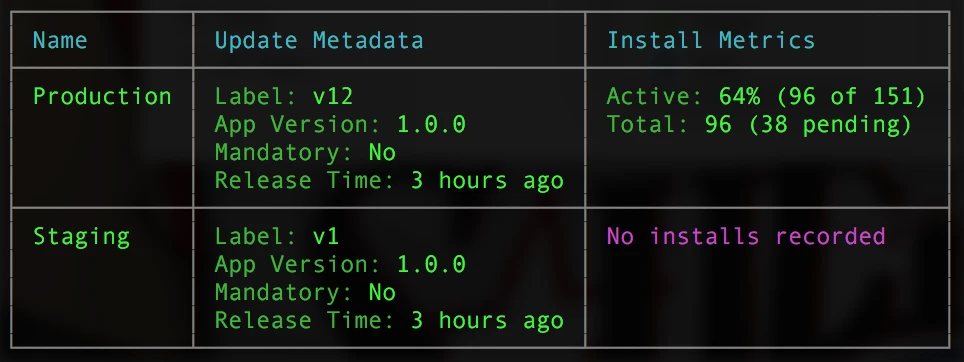
We're adding them piece by piece. The first CodePush metrics are already live in Bitrise Insights: Downloads, Monthly Active Users, and Data Transfer.
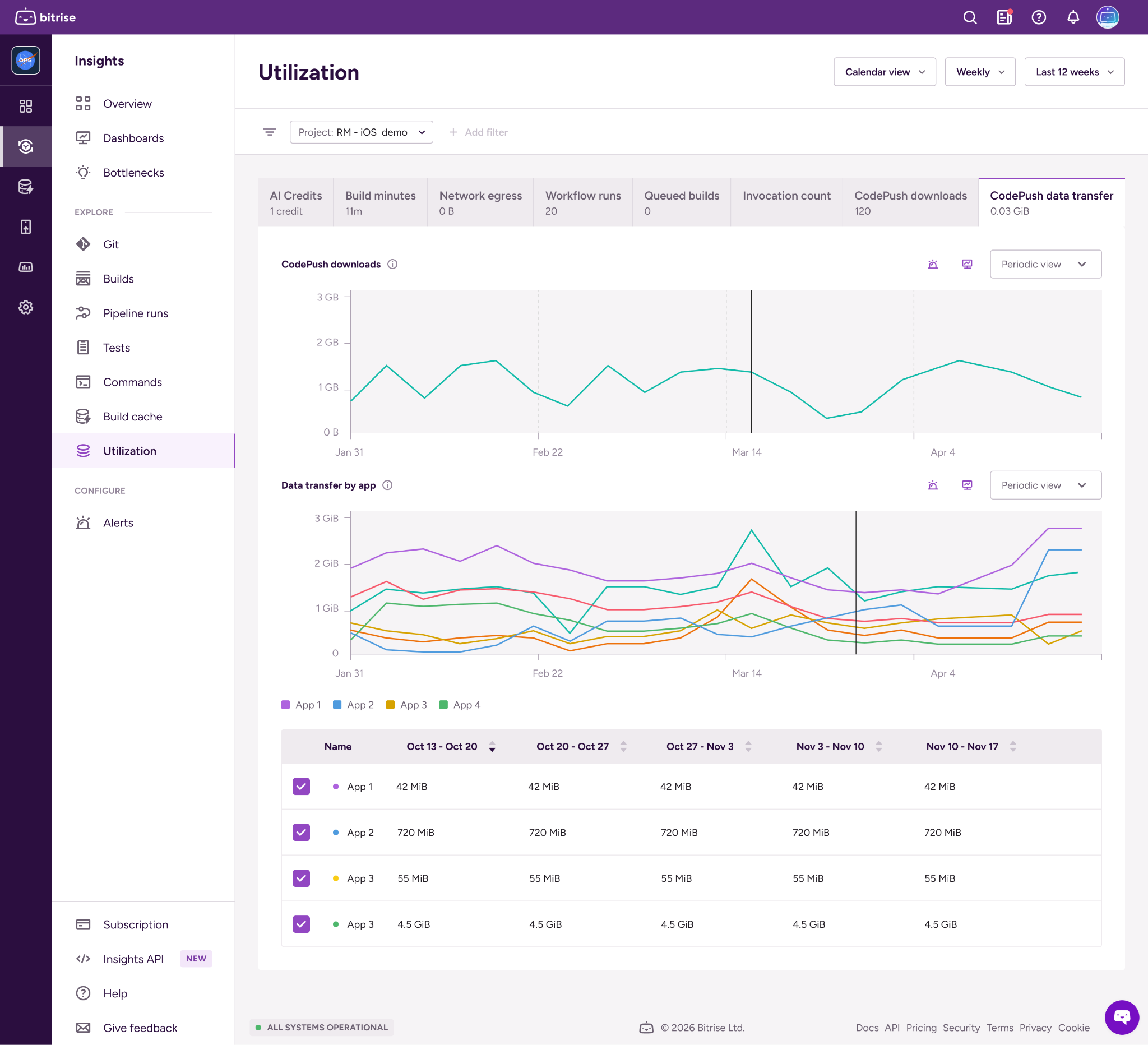
At first glance that doesn’t sound like much, but behind the scenes it meant a huge rework of the whole Bitrise Insights product. Insights had its limitations: data points only appeared after about 30 minutes. For a feature like CodePush that’s hopeless, especially when your number of active users can skyrocket at any minute. We wanted to follow the data in near real time. So we planned a new architecture, replaced the system's default database, and started improving data processing times too, with lots of query analysis and flow rewrites.
Delta updates
As the number of customers grew, so did the requests for bundle diffing, and that made it our number one priority. We created a new project on our roadmap and gave it a new name: Delta Updates. If you haven’t come across it: with delta updates, a device receives only the part of the update it’s actually missing, based on the version it already has. That means one prepared package instead of a chain of updates, and a smaller download too. We had already planned and refined the system to serve the same package to everyone without glitches; now it needed a redesign to answer every request differently. Back to the drawing board we went, however, delta updates are now live for CodePush.
Handing over, and what’s next for CodePush
Around then, I moved to another team within Bitrise, the Build Platform team, and handed CodePush over. Leaving was bittersweet. A transition like this takes some time, so after we finished planning delta updates, I ended up sitting there reviewing pull requests one after another. It was really strange.
I still get questions about the current implementation, the architecture, or whatever comes up.
The last update I received was about the SDK: the team decided to pick it up and give it the care it deserves. More on that soon!
Are you looking for a good alternative to the App Center? Were you tired of maintaining a self-hosted CodePush server? Try Bitrise CodePush, or read the docs to see how it works.
Get started for free
Get a 30-day free trial and join the 400,000+ mobile developers who already love Bitrise.
Start free trial