Disclosure: This guide is written by Bitrise, makers of Build Hub. We compete in this space, so we have tried hard to keep the comparison fair. Where we think we are a good fit, we say so. Where we think our competitor’s tool is a better fit, we say that too. Article updated 18/09/2026 with more detail pricing information.
Why most teams outgrow the default GitHub-hosted runners
"The GitHub-hosted Mac runners were not a good fit for our use case. We just couldn’t get them to work consistently and, on top of that, cost was also an issue." Nathan Hillyer, Director of Engineering, Mobile Platform, Jeppesen ForeFlight
GitHub Actions is the default CI/CD tool for most teams. The runners underneath it, the actual machines your jobs run on, are where the pain shows up. Standard GitHub-hosted runners are slow for heavy repos and complex workflows. The faster ones are gated behind Team and Enterprise plans. GitHub Actions pricing is also notoriously hard to understand, especially for macOS.
Almost everyone starts on GitHub-hosted runners, since they are free for public repositories and every plan comes with a set allowance of included minutes for private repositories. But for heavier workloads and fast scaling, two factors push teams to look elsewhere: speed and cost.
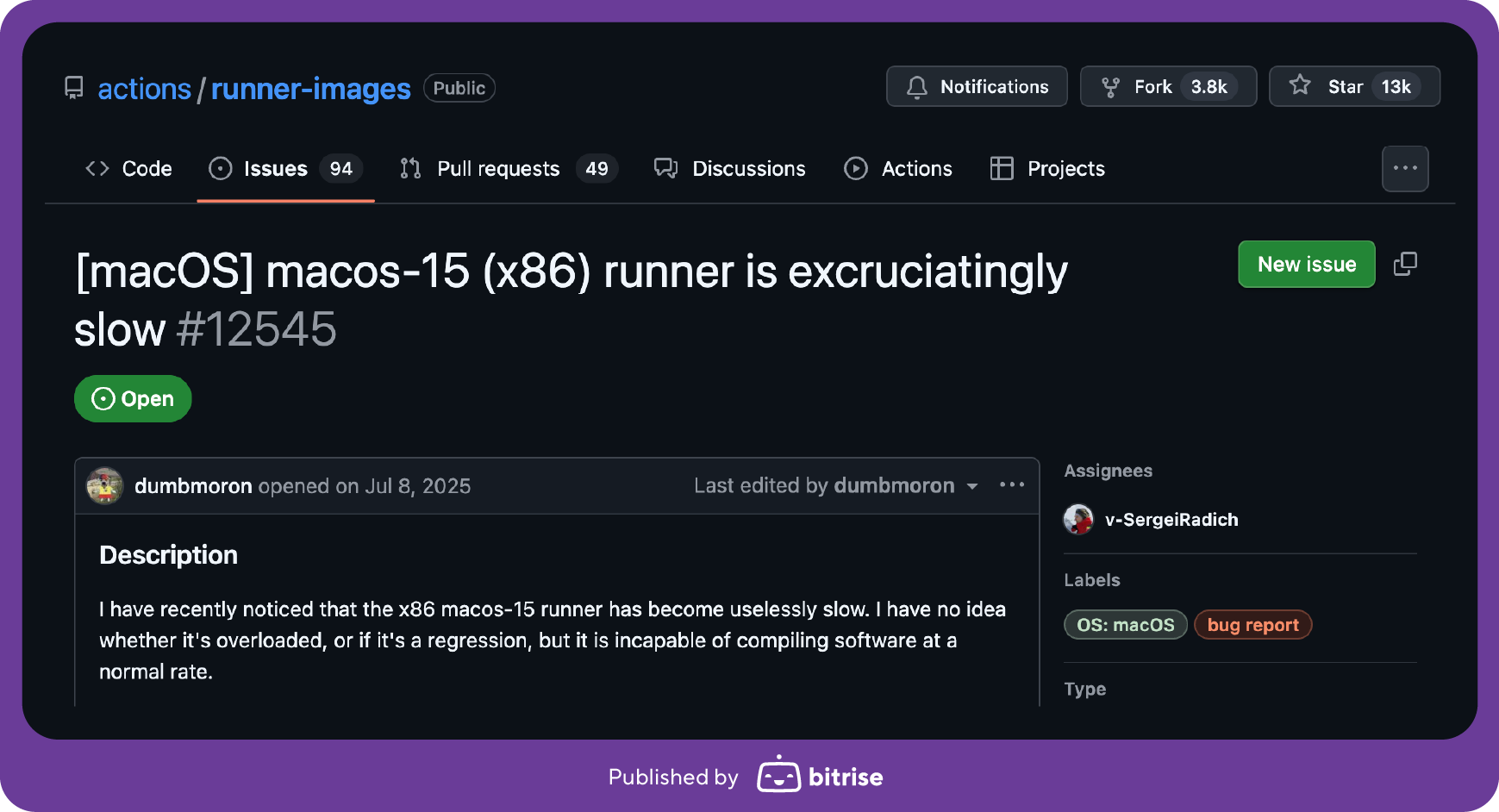
Speed. The standard macOS GitHub-hosted runner on is an M1 with 3 vCPU and 7GB of RAM. Meanwhile, Apple silicon is on its 4th generation, with its 5th coming soon. The standard Linux runner is small too. Slow builds mean slower pull-request feedback, and at any real scale, the wasted engineering hours start to add up fast.
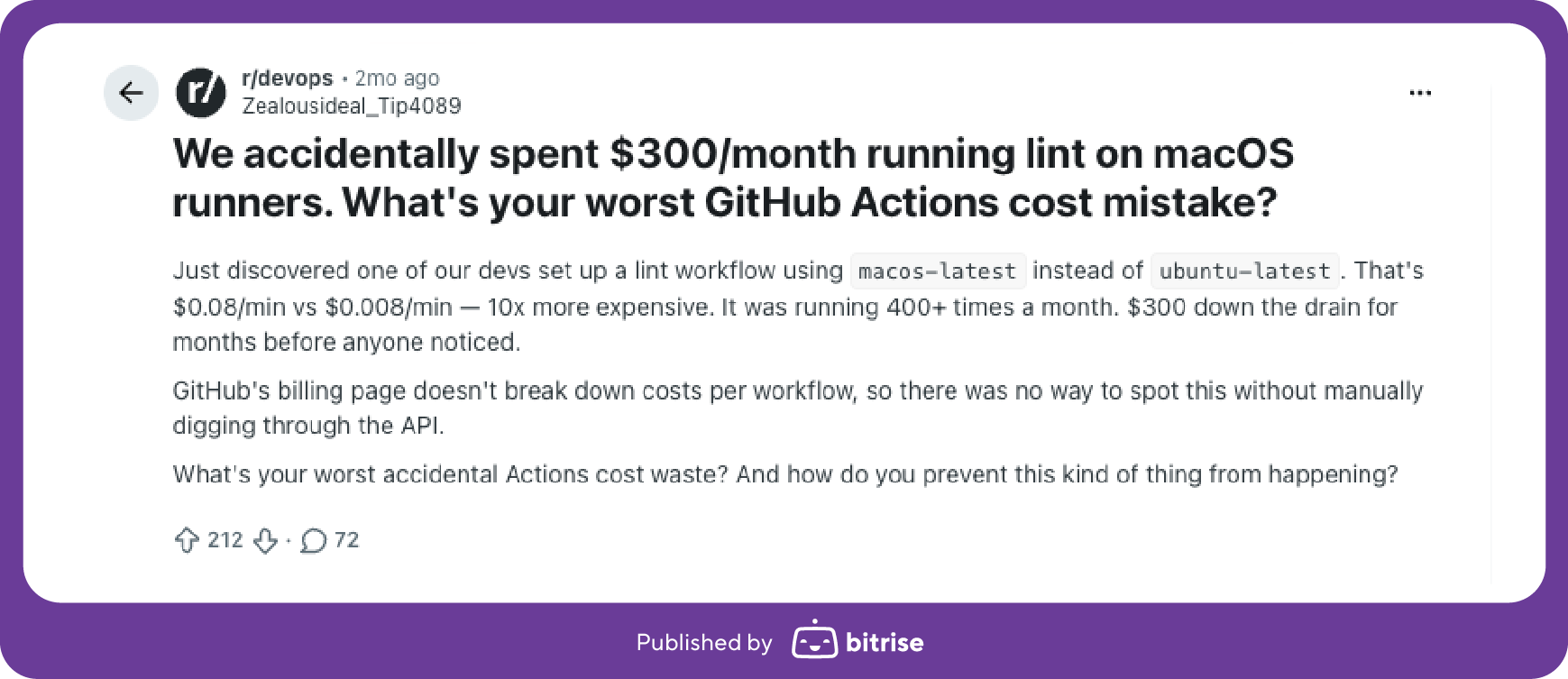
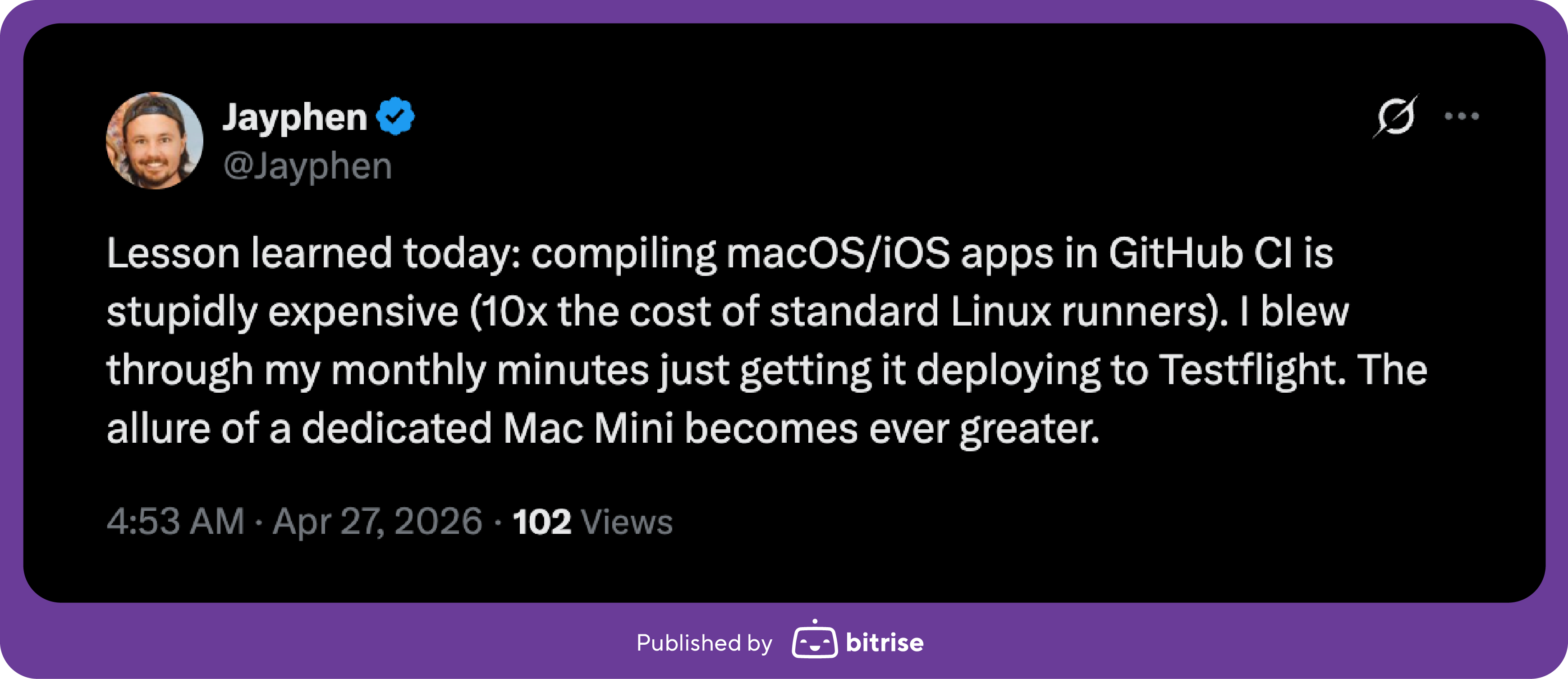
Cost. GitHub's included minutes look generous, but macOS jobs consume those minutes at a 10x multiplier. So your 2,000 minutes on the GitHub free tier are only about 200 minutes of macOS build time (which isn’t much on that slow M1). This is GitHub's own documented math, and it really trips up teams who run macOS heavy workloads.
Slow standard machines and opaque billing is exactly why a whole market of newer generation, faster, cheaper GitHub Actions runners exists.
How we assessed the best GitHub Actions runner
We looked at five key factors that really matter when you’re picking the alternative to Github-hosted runners.
Speed. How fast the hardware is. On macOS, this is the chip and the RAM (an M1 with 7GB is a very different machine from an M4 Pro with 54GB). On Linux, look at vCPU, clock, and memory.
Reliability. Powerful machines aren’t worth much if they’re never available. Look for a documented uptime SLA.
Portfolio breadth. A limited machine portfolio makes it difficult to right-size for the job at hand. It plays out differently on each platform:
On macOS, RAM ceilings are standard and cap how large an iOS codebase those runners can build.
On Linux, limited machine options mean you end up either underpowering or overpaying for compute you don’t need. Whereas granular sizing gives you a lot of flexibility on price vs performance.
Transparent pricing. A lot of GitHub Actions alternatives reel you in with cheap prepaid plans, then hit you where it hurts on overage rates and x10 multipliers on macOS minutes. We go into more detail on common pricing traps below.
Enterprise-readiness. Are you buying runners from a provider who may not be in business in six months? Is it a single-feature product or part of a wider supported platform? Maturity, support, team size, and proven stability are important factors for mission-critical infrastructure that your whole team depends on.
The best GitHub Actions runners of 2026
With BuildJet and Cirrus CI both closing up shop in the first half of 2026, many teams have been left scrambling to find a new alternative for their GitHub Actions runners. All the options listed below keep GitHub Actions as your orchestrator and swap the machines your jobs run on, usually with a one-line runs-on change. Here’s how the market stacks up based on your use case:
The best runners for mobile: iOS, Android and macOS apps
Bitrise Build Hub is built for this, with 10 core M4 to M4 Pro Apple silicon machines available at all tiers, new Xcode stacks (including betas) available within 24 hours of Apple’s launch, and the mobile toolchain preinstalled and managed by Bitrise.
The broadest OS coverage
Namespace or WarpBuild. Namespace adds Windows, ARM Linux, dev boxes, and AI-agent environments. WarpBuild spans Mac, Windows, and Linux and can also run in your own AWS, GCP, or Azure, and reports 2x faster builds.
The best runners for Docker-heavy workloads
Depot. Its BuildKit builders sit next to the runner with fast layer caching and roughly 3x faster image builds.
The best runners for right-sized Linux
Bitrise Build Hub offers granular AMD EPYC sizing up to 192 vCPU, so you pick a machine that fits the job (say a 22-vCPU machine) instead of being forced to jump from a 16 to a 32 and waste half of it. Across thousands of builds, that price-performance advantage adds up.
The cheapest Linux runners
Blacksmith offers bare-metal Ubuntu microVMs, Docker-first roughly x2 faster than GitHub-hosted, with macOS newer to the lineup.
The best self-hosted option
For self-hosting in your own cloud: RunsOn (EC2 spot in your AWS, also the only one with GPU runners) and Ubicloud (Hetzner-backed) both run around 90% under GitHub-hosted on Linux.
The best bare metal option
Actuated runs ephemeral microVMs on your own hardware, typically from around $250 a month.
GitHub runner alternatives by use case
If you need
Best fit
Mobile or macOS CI (iOS, Android, Xcode)
Bitrise Build Hub
The broadest OS coverage (Windows and ARM too)
Namespace
Dev environments and AI-agent infrastructure
Namespace or Bitrise Build Hub
Docker-heavy build pipelines
Depot
Granular Linux machine sizing
Bitrise Build Hub
Rock-bottom cheap Linux
Ubicloud or RunsOn
Web or backend CI on Linux
Bitrise Build Hub
Cloud self-hosting or bare metal
RunsOn (your AWS), Actuated (bare metal)
Simplest built-in default
GitHub-hosted
The GitHub Actions runner pricing traps
Trap 1: macOS minutes cost ten times more
If you’ve been wondering why your GitHub Actions minutes run out so fast, this is why. GitHub gives private repositories a monthly allowance of build minutes: 2,000 on Free, 3,000 on Pro and Team, 50,000 on Enterprise. Sounds generous. But the catch is that those minutes are counted as Linux-equivalent minutes, and so macOS jobs consume them at a 10x multiplier. So your 2,000 free minutes are only about 200 minutes of macOS build time: which isn’t much at all when you’re also stuck on a standard M1 runner. Namespace uses the same 10x macOS multiplier (and 2x for Windows), so this pattern is not unique to GitHub Actions pricing.
Trap 2: Cheap prepaid vs massive overage rates
Many alternative runner providers advertise a low headline rate on prepaid minutes, then charge a much higher overage rate once you pass your plan's included usage. A cheap sticker price with an expensive overage can cost more than a slightly higher sticker price with a gentle overage, depending on how spiky your usage is. Always look at both numbers.
Trap 3: Nothing included vs a real allowance
Some entry plans include zero minutes and bill purely pay-as-you-go. That looks cheap to start, but the problem is that overage is almost always more expensive than the prepaid rate you would get inside a plan with included usage. So on a zero-included plan you are paying the most expensive per-minute rate from the very first build, with no cushion and no predictability. Check both what is included and the rate you actually pay before comparing headline prices.
Trap 4: The machine-size tax
Fixed or limited machine tiers usually force you to round up and pay for power you don’t really need. If your job runs best on roughly 24 vCPU but the provider only offers 16 or 32, you either underpower and run slow on 16 or pay for more than you need on 32. Granular sizing (being able to pick a machine close to what the job needs) may seem like a modest cost cutting measure, but the savings really add up across thousands of builds.
A simple way to compare runner pricing
How are macOS minutes counted? Real minutes, or multiplied? A 10x multiplier on a shared allowance is the single biggest hidden cost, especially for mobile teams.
What is actually included, and is it per platform or blended? Zero included is a red flag for spiky usage. Per-platform included minutes are easier to predict than a blended pool that macOS drains 10x faster.
What are both the prepaid and the overage rates? Never buy just on prepaid. A good sign is when a provider's overage rate is close to competitors' prepaid rates.
How granular is the sizing? The closer you can match the machine to the job, the less you overpay per build.
If a provider does not answer these questions straightforwardly on their pricing page, it’s worth digging around for more information.
How GitHub runner pricing compares across top providers
Here's how GitHub Actions, Bitrise Build Hub, and Namespace actually price their compute, and what those numbers mean in context of plan structure (not just the sticker price).
Pricing element
GitHub Actions
Bitrise Build Hub
Namespace
Included minutes on plan
GitHub Pro subscription includes 3,000 free mins/month on private repos
Flexible Basic and Pro tiers from $15–$810/month, with up to 27,000 macOS mins at a fixed discounted rate
2,000 free macOS minutes included at Teams tier, 5,000 at Business tier
Effective rate on included minutes
$0/min (bundled as a plan perk)
$0.03/min on macOS and $0.0125/min on Linux (your plan price ÷ the minutes it buys you)
$0/min (bundled as a plan perk)
Can you buy more minutes at a discount rate?
No, you go straight into overage rates once your free pool is gone
Yes, move up a tier and you keep the same $0.03 / $0.0125 rate for a bigger pool
No, you go straight into overage rates once your free pool is gone
macOS overage rate
$0.062/min
$0.06/min
$0.09/min
Linux overage rate
$0.006/min
$0.025/min
$0.024/min
A note on machine specs being compared: to keep this as apples-to-apples as possible, we looked at rates for large-size macOS runner and mid-sized Linux runner from each platform.
Bitrise: M4 L (5 vCPU / 14GB) for macOS and Linux M (4 vCPU / 16GB).
GitHub: M1 (3 vCPU / 7GB) for macOS and its 2 vCPU Linux runner
Namespace: 6 vCPU / 7GB macOS runner and 4 vCPU / 16GB Linux runner.
Obviously, the available specs are not identical across vendors (GitHub's macOS and Linux runners are notably smaller than the equivalent Bitrise and Namespace offering), so treat this as the closest available comparison rather than a perfect match.
So what’s the takeaway here? Well, on Linux, GitHub Actions' overage rate ($0.006/min) is lower than Bitrise or Namespace (that said, it’s less for less compute). If your workflows run almost entirely on Linux and you rarely go past your included minutes, GitHub Actions can work out cheaper on a pure per-minute basis.
For macOS, Bitrise Build Hub pulls ahead as a clear winner. Our overage rates beat both GitHub Actions and Namespace, but the real differentiator how pricing scales transparently as you grow. GitHub and Namespace hand you a relatively small batch of fixed "free" minutes, then charge one flat overage rate for every minute you go over. On the other hand, Bitrise Build Hub lets you keep buying compute at a heavily discounted rate by moving up a tier, so your per-minute cost stays predictable and reflects your actual usage.
A practical tip if you are on a paid GitHub Actions plan
Do not spend your GitHub included minutes on macOS. Because of the 10x multiplier, macOS burns that allowance ten times faster. Save your GitHub included minutes for Linux and Windows builds, and run macOS jobs on a dedicated macOS runner with faster hardware. That one change often saves both time and money.
Where Bitrise Build Hub fits, and where it wins
Build Hub is the strongest GitHub Actions runner for mobile and macOS-heavy teams, and it’s a serious option for right-sized Linux and web or backend CI too. It solves for slow machines and surprise costs upfront, and it’s also backed by a full DevOps platform for teams looking for a mature, multi-featured solution.
Faster hardware.10 core M4 and 14 core M4 Pro Apple silicon with up to 54GB of RAM. Large Xcode builds stop crawling and stop hitting the memory limits that fail on smaller runners.
No macOS multiplier surprise. Instead of a pool of minutes, Build Hub gives you an included dollar amount each month that you can spend however you like across machine platforms and sizes, so macOS does not silently drain a shared pool at 10x the rate. You can also see what you have left and cap the spend on overage (the exact trap that catches teams out on GitHub and on usage-based competitors).
Same-day Xcode and the mobile toolchain ready. New Xcode within 24 hours of Apple's release including betas, with Fastlane, CocoaPods, and code signing already set up.
Right-sized Linux, and web and backend too. Granular sizing so you are not forced onto a tier that is bigger than your job (pick a 24-vCPU machine instead of jumping from 16 to 32), with enterprise custom machines up to 192 vCPU. Linux jobs can run web and backend workloads through GitHub Actions container and service support.
Worth noting: Bitrise owns and operates its own hardware and data centers, backed by a publicly tracked 99.9% uptime SLA and free from the Apple Mac chip supply shortages that leave other fleets waiting on stock. And behind the runners is an established DevOps platform and a decade of enterprise CI experience, so it’s a stable, well-supported bet, not just a fast one.
The bottom line on alternative GitHub runners
The best GitHub Actions runner is the one that fits how your team builds, and the smart move is to truly understand the pricing before you commit.
For the rock-bottom cheapest Linux, look at Blacksmith, RunsOn, and Ubicloud.
For Windows, Mac, and Linux from one vendor, go with WarpBuild (or Namespace if you specifically need ARM Linux).
For Docker-heavy builds, Depot is the clear winner.
For mobile or macOS is core to what you ship, or you want right-sized Linux without overpaying, Bitrise Build Hub is the strongest fit, especially for enterprises.
Whatever you choose, run the four-step pricing check first and don’t be taken in by cheap prepaid minutes.
FAQ
What is a GitHub Actions runner?
A runner is the machine that executes your CI workflow: checking out code, running your build steps, and reporting the result back to GitHub. GitHub provides hosted runners for Linux, Windows, and macOS, or you can point your workflow at a self-hosted or third-party runner instead.
Is GitHub Actions free?
For public repos, yes. For private repos, you get a monthly allowance of included minutes, and usage beyond that is billed per minute. macOS jobs burn through that allowance 10x faster than Linux, so "free" runs out quickly once you add Mac builds.
What are GitHub Actions minutes?
Minutes are how GitHub meters your Actions usage on private repos. Every job draws from your plan's included allowance, and the rate depends on OS: Linux counts at 1x, Windows at 2x, macOS at 10x.
What's the difference between a GitHub-hosted and a self-hosted (or third-party) runner?
GitHub-hosted runners are fully managed. There’s no setup, but the hardware choice is limited with faster, newer machines gated behind paid plans (if available). Self-hosted and third-party runners run on machines you or a vendor controls: so more set-up and maintenance, but also more control over hardware, speed, and cost.
Does GitHub charge for self-hosted runners?
GitHub announced a $0.002/minute control-plane charge for self-hosted runners on private repos in December 2025, then postponed it a day later after strong developer pushback. Right now there's no self-hosted or control-plane fee in effect, and no confirmed timeline for one returning. But it's worth watching, since it would apply to any workflow still orchestrated through GitHub Actions, including third-party runners that plug in via the runs-on label, not just runners you host yourself.
What is a macOS runner in GitHub Actions?
GitHub-hosted macOS runners are used to build and test iOS, macOS, and other Apple platform apps. GitHub's default macOS runner is an M1 machine, which lags the current 4th generation Apple silicon available from most third-party alternatives.
Why would I use a third-party runner if I already pay for GitHub Actions?
Two reasons: speed and cost. GitHub's standard macOS runner is a slow M1, and because of the 10x macOS multiplier your included minutes disappear fast on Mac jobs. Keep your GitHub included minutes for Linux and Windows and run macOS on a faster dedicated runner for quicker builds and a lower monthly bill.
Why do my GitHub Actions minutes run out so fast?
macOS jobs consume your included-minute allowance at 10x the Linux rate. So a 2,000-minute allowance is about 200 minutes of macOS build time. This trips up almost everyone the first time they run a Mac job on GitHub-hosted runners.
How do I compare GitHub Actions pricing fairly?
Check four things beyond the headline price: how macOS minutes are counted (real or multiplied), what is included per platform, what is the prepaid vs overage rate, and how granular the machine sizing is.
Which GitHub Actions runner is fastest for iOS builds? Any alternative runner provider offering current Apple silicon (M4 Pro) with plenty of RAM will beat GitHub's standard M1. Several providers offer this now, so you can also compare RAM (large Xcode builds are memory blackholes) and how quickly they ship new Xcode versions.
Can I get the top-end Mac runners right away, or is there a waitlist?
Right away. Because Bitrise owns and operates its own hardware and data centers, there is no waitlist and no queue behind a cloud provider's stock. The flagship 14-core M4 Pro machines (54GB of RAM) are available to Enterprise customers immediately, and because Build Hub does not depend on third-party cloud Mac supply, it is insulated from the Apple silicon shortages that leave other fleets waiting on capacity.
Are third-party GitHub actions runners hard to set up?
No. Most are a one-line change to the runs-on label in your existing workflow. You keep your GitHub Actions workflows for CI and everything else stays the same.
Are there any free GitHub Actions runners?
For public repositories, GitHub-hosted runners are free and hard to beat. For private repositories, you pay either way, so compare the four pricing checks above.
Which GitHub Actions runner is best for Linux, not just macOS?
For rock-bottom Linux cost, RunsOn and Ubicloud are hard to beat and it’s also worth looking at Blacksmith. But if you want the best price-performance rather than the lowest sticker price, look for granular sizing so you are not forced onto a machine bigger than your job needs. Bitrise Build Hub offers this (for example, you can run on a 24-vCPU machine instead of paying for a 32 you don’t really need), and it also runs web and backend workloads through GitHub Actions container support.
Is Bitrise Build Hub only for mobile?
No. Bitrise is best-in-class for mobile and macOS first, but Build Hub also runs Linux for web and backend CI with granular, right-sized machines. It also integrates with the broader Bitrise DevOps platform (Bitrise CI, Build Cache, Remote Dev Environments, Insights, Release Management). For teams that want an established vendor behind their build infrastructure, Bitrise comes with a 10-year track record of rock-solid enterprise-grade CI.