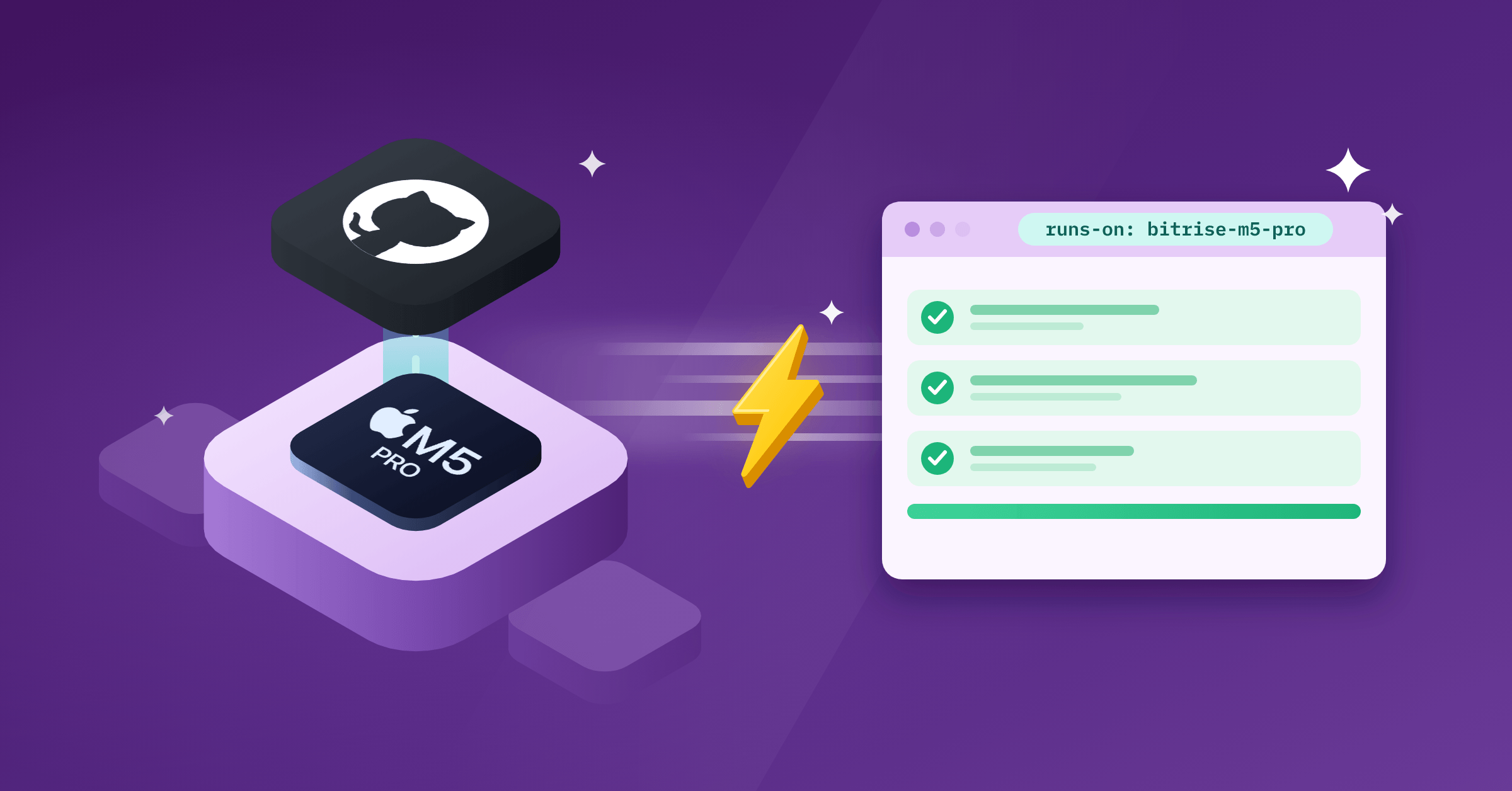
Bitrise Build Hub is the first to run GitHub Actions jobs on Apple's M5 Pro and M6 Mac mini, up to four chip generations ahead of GitHub's largest macOS runner. Your workflows stay as they are.
TL;DR
- First on M5 Pro. Bitrise Build Hub is the first to run GitHub Actions jobs on Apple’s M5 Pro.
- M5 Pro and M6, together. Both new Mac minis launch on Build Hub at once, with runners from 6 to 18 vCPU per job.
- More machine per job. M5 Pro X-Large gives each job 18 vCPU and 54GB of RAM, with six of Apple’s new super cores.
- 72% faster. M5 Pro X-Large against GitHub's largest macOS runner, on an iOS build.
- Cache next door. Build Cache runs in the same data center, so work you’ve already built is skipped.
- One-line switch. Change runs-on to bitrise-m5-pro and your workflows stay as they are.
Four Mac mini launches in, the routine is set: pre-order the top configuration straight away and have it running jobs within days of landing. This round, Bitrise Build Hub brought M5 Pro and M6 to GitHub Actions first.
Each M5 Pro X-Large job gets 18 vCPU and 54GB of RAM, on a chip built around six of Apple's new super cores. It built DuckDuckGo's iOS app in 147.1 s. GitHub's largest hosted macOS runner took 523.3 s.
That gap hits hardest on mobile. A web team shipping a small service will rarely notice which runner picks up its jobs. A mobile team compiling a large Swift codebase will, because linking, code signing and script phases run one after another on every pull request, and each one is only as fast as the machine running it.
On GitHub’s largest runner, that machine is still an M2 with 5 vCPU and 14GB of RAM. GitHub moved to it in July 2025, two and a half years after Apple released it.
Build Hub is four Mac generations ahead. But the chip is only half the story. Its runners share a data center with Bitrise Build Cache, so anything your team has already built comes straight back, and only new work hits the M5 Pro.
How much faster are M5 Pro runners?
M5 Pro X-Large is our top Mac runner for Enterprise teams. Its 18 vCPU and 54GB of RAM give the biggest Swift projects and parallel test suites room to run.
For a team of 10 iOS engineers, each running 5 builds a day, that adds up to 26 hours back every week.
For codebases that fit in 28GB: M6 X-Large
M6 X-Large is the best price performance option. It gives you twice the memory of GitHub’s XLarge runner and a much faster build.
For teams on GitHub’s standard runner: M6 Large
GitHub’s standard macOS runner, the one behind macos-latest, is an M1 with 3 vCPU and 7GB of RAM. M6 Large has twice the cores and twice the memory.
What super cores change in an Xcode build
Super cores are Apple's highest-performance core design, introduced with M5 Pro in March. They're built to do one job at a time as fast as possible. The 18-core M5 Pro pairs six of them with 12 performance cores and no efficiency cores at all.
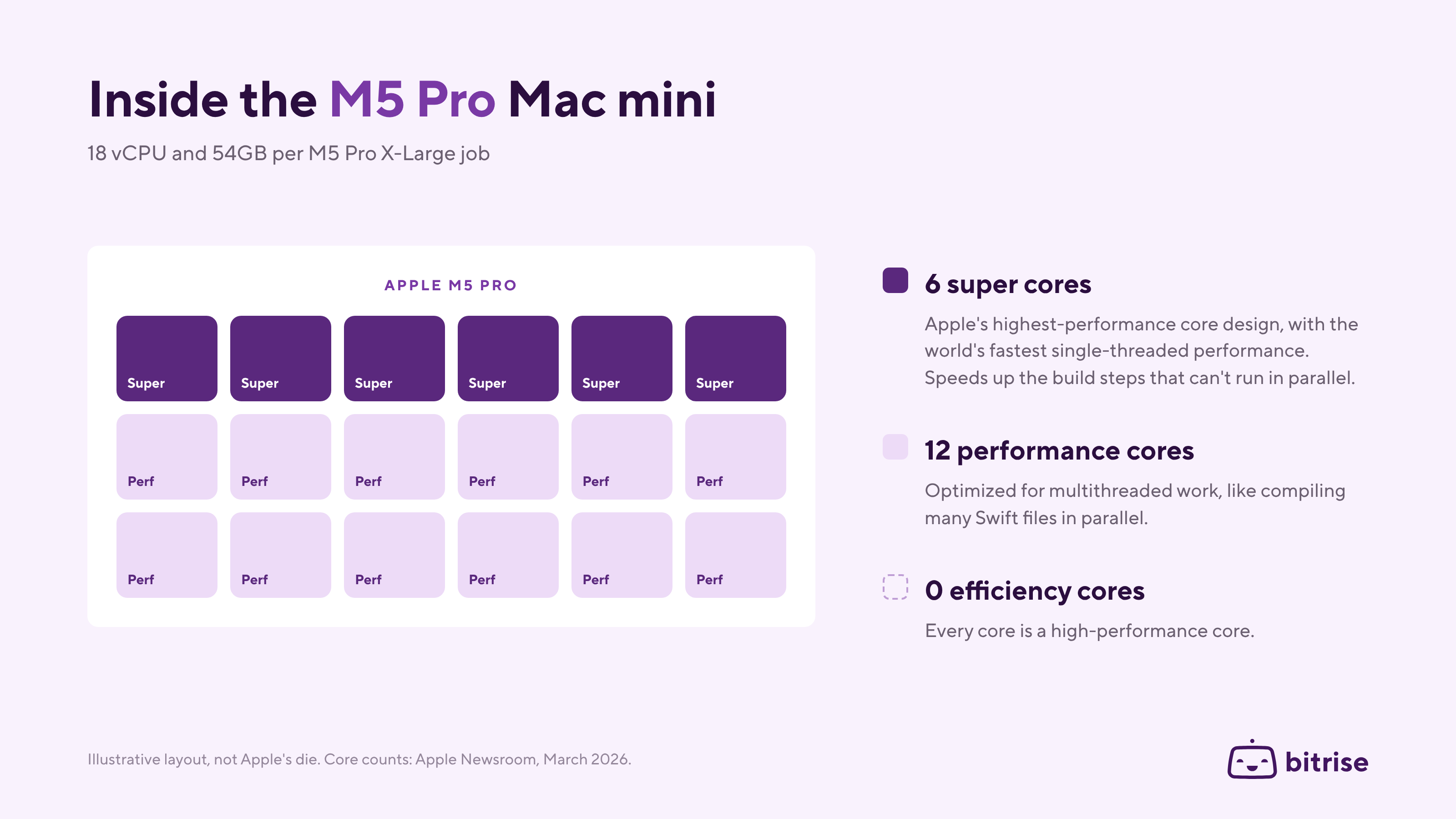
That mix fits how Xcode actually builds. Some steps can only happen in order, and Apple's WWDC session Demystify parallelization in Xcode builds calls that chain the critical path: script phases run one at a time, a target waits for the modules it depends on, and a whole-module Swift compile runs mostly on one thread (a worked example). You can see that chain in your own project: in Xcode's build timeline, it's the long single bars. Throwing more cores at that chain won't shorten it. Faster cores will.
Everything else, like compiling hundreds of Swift files across independent targets, spreads across all 18 cores. With no efficiency cores on the chip, none of that work gets parked on a slow one.
How Build Hub brought M5 Pro online so quickly
On August 25, Apple announced the new Mac mini in two versions: M5 Pro and M6. We pre-ordered both in bulk: the top M5 Pro configuration, with 18 cores and 64GB of RAM, and the 12-core M6 with 32GB. The machines reached the data center in late October. We started racking them on November 2, and by November 5 the first ones were running GitHub Actions jobs.
Three days from racking to running.
That kind of turnaround only happens when one team runs every layer under your build: the hardware, the images and the cache.
The hardware. We buy, rack and run the Mac minis behind Build Hub, so a new chip never waits for a cloud provider to add it to a catalog. That's also why this year's M4 Pro Mac mini shortage never reached Build Hub customers. While Apple discontinued configurations and wait times ran to months, the fleet was already racked.
The images. We build our own macOS virtualization and Xcode images, so stacks are in progress before new machines land. Xcode 27 was on Build Hub on September 15, the day after Apple released it. GitHub's Xcode 27 image reached general availability on October 15, a month later.
The cache. Build Cache sits in the same data center as the machine running your build, so a cache hit never leaves the building. It covers Xcode, React Native, Gradle and Bazel, plus 100GB of key-value storage for dependencies, compared with the 10GB GitHub includes per repository. With Build Hub and Build Cache together, teams see up to a 90% reduction in total build time.
Running data centers is expensive and hard, and we do it on purpose. For your team, it means new Apple silicon shows up without anyone buying Macs, chasing stock or rebuilding images.
"When we started using Build Hub, a huge amount of work just disappeared. Suddenly we didn't have to worry about OS patching, Xcode image management, or hardware lifecycles. Or pray that a job won't hit an old M1 agent. We don't have to think about any of that anymore. We've gone from being infrastructure maintainers to platform level engineers and enablers." Nathan Hillyer, Director of Engineering, ForeFlight
Every Mac mini generation since 2022
We launched the first scalable M1 environment for iOS CI in June 2022 and have added every Mac mini since: M2 Pro in 2024 and M4 Pro in 2025. Build Hub brought that fleet to GitHub Actions in February 2026, and M5 Pro and M6 are its latest additions.
How M5 Pro runners fit into GitHub Actions
M5 Pro runners plug into the GitHub Actions setup you already have. Once your organization is connected to Build Hub, moving a job is a one-line change.
jobs:
  build:
    runs-on: bitrise-m5-pro
Your triggers, secrets and workflow structure stay exactly as they are. You also get prewarmed, ephemeral VMs, a 99.9% uptime SLA tracked at status.bitrise.io, and new Xcode versions within 24 hours.
Put together, that's Apple’s M5 Pro Mac mini, six super cores on the steps that can't run in parallel, and a cache in the same building, all behind the GitHub Actions workflows you already have.
The quickest way to see what M5 Pro does for your builds is to run them on it: book a demo, and we’ll set up a proof of concept on your own code.
FAQ
What are Bitrise Build Hub's M5 Pro runners?
Bitrise Build Hub offers M5 Pro X-Large (18 vCPU, 54GB) and M5 Pro Large (9 vCPU, 27GB) runners for GitHub Actions, on Apple's M5 Pro Mac mini. They're available through a Build Hub proof of concept, and existing workflows run on them with a change to the runs-on label.
What are Build Hub's M6 runners?
Build Hub runs GitHub Actions jobs on the M6 Mac mini in two sizes: Large (6 vCPU, 14GB) and X-Large (12 vCPU, 28GB). Like M5 Pro, they’re available through a Build Hub proof of concept.
Should I use M5 Pro or M6?
M5 Pro X-Large gives each job the most power: 18 vCPU and 54GB of RAM, for the largest Xcode projects and heavy parallel test suites. M6 brings Apple's newest chip generation in sizes up to 12 vCPU and 28GB. A proof of concept lets you measure both on your own code before choosing.
How much faster is M5 Pro than GitHub's largest macOS runner?
On DuckDuckGo's iOS app, Build Hub's M5 Pro X-Large built 72% faster than GitHub's largest hosted macOS runner, an M2 with 5 vCPU and 14GB of RAM.
How did Build Hub add M5 Pro so quickly?
Bitrise owns and racks the Mac minis behind Build Hub and builds its own macOS images, so new Apple silicon doesn't wait on a cloud provider's catalog. The M5 Pro Mac mini went on sale on September 22, and Build Hub was running GitHub Actions jobs on it by November 5.
Does Build Cache work with M5 Pro runners?
Yes. Build Cache runs in the same data centers as Build Hub runners and caches Xcode, React Native, Gradle and Bazel builds, so cached work is skipped and the rest runs on M5 Pro.
What are super cores in Apple silicon?
Super cores are Apple's highest-performance CPU core design, introduced with M5 Pro and M5 Max in March 2026 and built for single-threaded speed. The 18-core M5 Pro has six super cores and 12 performance cores.
Is M5 Max faster than M5 Pro for iOS builds?
For most iOS builds, expect little difference. The top M5 Pro and M5 Max share the same 18-core CPU, with six super cores and 12 performance cores (Apple). M5 Max adds GPU cores (up to 40 against 20) and memory bandwidth (614GB/s against 307GB/s). Compiling, linking and signing run on the CPU, so an 18-core M5 Pro gives an Xcode build the same cores.
Do I need to change my workflows to use M5 Pro?
No. Your workflows stay in GitHub Actions. Once your organization has M5 Pro access through a proof of concept, you point a job at it by changing its runs-on label.
Get started for free
Get a 30-day free trial and join the 400,000+ mobile developers who already love Bitrise.
Start free trial