Cross-workflow integration testing on iOS: a recipe for macOS + Docker pipelines

Running real integration tests for iOS projects is one of those problems that sounds straightforward until you're actually in it.
The core tension: your backend runs on Linux, your iOS app can only build on Apple hardware. The two worlds don't meet naturally. Most teams end up mocking server responses in their mobile tests to isolate components without relying on backend services. This is a reasonable workaround until mocks start to drift, backends evolve, and the integration failures that mocks were supposed to catch start slipping through into production.
At Bitrise, we’ve spent some time digging into this problem properly and putting together a recipe for integrations that actually works. Here's how it fits together.
The main constraints for cross-platform testing
Building and testing iOS applications has to happen on Apple hardware. Server code typically runs on non-Apple pipelines with a CI/CD pipeline. Apple doesn't allow Docker to run natively on macOS virtualization environments. This creates a situation where integration tests involving both iOS and backend components cannot be easily executed in the same environment. If you want to test your iOS app against a locally running server (rather than a staging environment), you hit a wall immediately.
This complexity is not trivial to workaround, and based on our research, there’s no out-of-the-box solution. No other CI/CD provider offers overlay networks specifically designed for cross-workflow communication.
That’s where the Bitrise recipe comes in.
How the recipe works
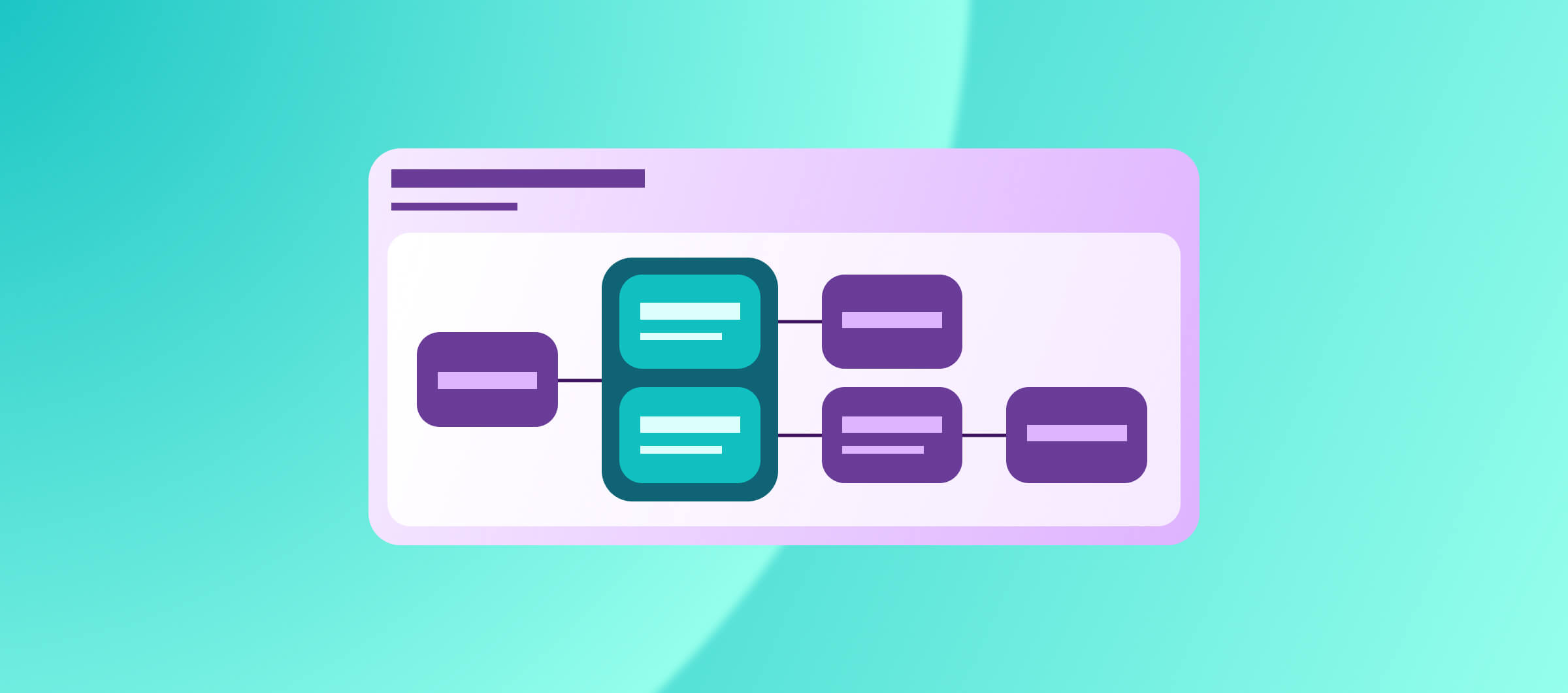
The setup runs three workflows inside a single Bitrise pipeline:
- A Linux workflow that builds and runs your server in a Docker container
- Several macOS workflows that build and test your iOS app separately against the server
- A gatekeeper workflow that holds off test workflows until the server is ready
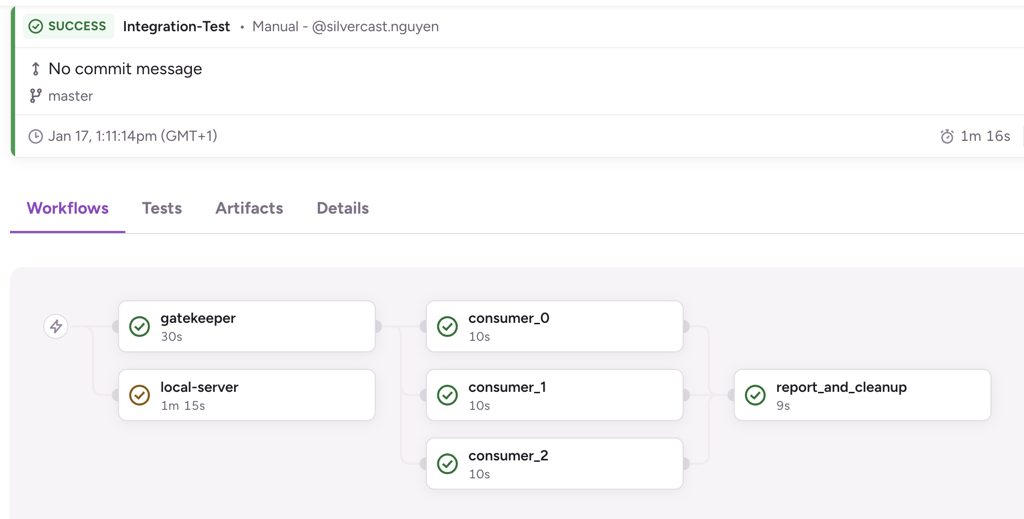
The bridge between them is a tunnel (ngrok or Cloudflare Tunnel, both available on free plans) that exposes the Docker service running on Linux to the macOS environment. The iOS app hits the tunnel URL instead of a staging server, and the integration tests run against real server responses.
This is what Bitrise Pipelines was built for. Pipelines let you run multiple workflows in parallel or sequence within a single build, and as of now they support traffic tunnelling between workflows: macOS to Linux, macOS to macOS, Linux to Linux.
If you want to see the structure, you can log into Bitrise to check out the full sample pipeline.
Go here to check out the public GitHub repo with the recipe.
Why this matters for monorepos
If you're working in a monorepo (frontend, mobile client, and backend in the same repo), this pattern unlocks a useful use case. Every pull request that touches backend code can now trigger iOS integration tests against that specific version of the server, not against whatever's deployed to staging.
This matters because staging environments introduce latency and state management overhead that has nothing to do with whether your code is correct. A local server instance, spun up fresh per build, is faster, more deterministic, and completely isolated from other teams' changes.
It also removes the category of failures that come from staging drift. You're testing the thing you actually changed, not the thing that's been accumulating other people's changes for the last two weeks.
What you'll need
The recipe uses:
- Bitrise Pipelines to coordinate the macOS and Linux workflows
- Docker running your server on the Linux workflow
- ngrok or Cloudflare Tunnel to expose the service (free tier is enough)
- A standard Xcode workflow for the iOS integration tests
Most of the work is in the pipeline YAML and the tunnel setup. We’ve already done the hard part: the sample repo has everything you need to adapt it.
A quick caveat on reliability
Tunnel reliability depends on the free-tier services you're using. In testing, ngrok and Cloudflare Tunnel have both held up well at this scale. But if you're running high-concurrency builds or need guaranteed uptime for the tunnel, it's worth factoring in a paid plan.
For deeper detail on the pipeline configuration, the Bitrise Pipelines documentation covers the setup for parallel workflows and inter-workflow configuration.
Happy building!
Get started for free
Get a 30-day free trial and join the 400,000+ mobile developers who already love Bitrise.
Start free trial