
The Configuration YAML view in the Bitrise Workflow Editor now reads your entire bitrise.yml, and tells you while you type whether it's correct for your project. That means real-time validation, autocomplete, hover docs, and go-to-definition/references for anyone who edits bitrise.yml by hand. No install, no setup, available on every plan down to Hobby.
The problem: a config that's valid but still broken
Here's a mistake every team that hand-writes CI config has shipped at least once:
pipelines:
  release:
    workflows:
      deploy-prod: {}      # referenced here

workflows:
  deploy-production:       # defined under a different name
    steps:
      - script@1: {}
Nothing here is invalid. Every keyword checks out, the structure is legal, and a schema validator waves it through. But the pipeline asks for deploy-prod, and the only workflow that exists is deploy-production, so it can't run. You find out after you push: wait for a machine, watch the queue, and fail at the deploy step a few minutes later with nothing to run.
Schema validation can tell you a config is valid. It can't tell you it's true for your project, because that requires reading the whole config, not just one file's shape.
Who this is for
If you write CI config by hand, you're likely a backend, frontend, or platform engineer. Terraform, Kubernetes manifests, Docker Compose, and CI YAML are all part of the job for that group, edited directly and reviewed like any other code. This is for the people who'd rather be in the file.
What makes it possible
A tool can only tell you what's true for your project if the format it checks against is documented completely. That's the Configuration YAML reference: every property at every level of bitrise.yml (project, pipeline, workflow, step bundle, step, trigger, container), what each one accepts, and an example. Before it, that knowledge lived across scattered pages and in the heads of people who'd used Bitrise for years. Everything below builds on it.
Validation that knows your config
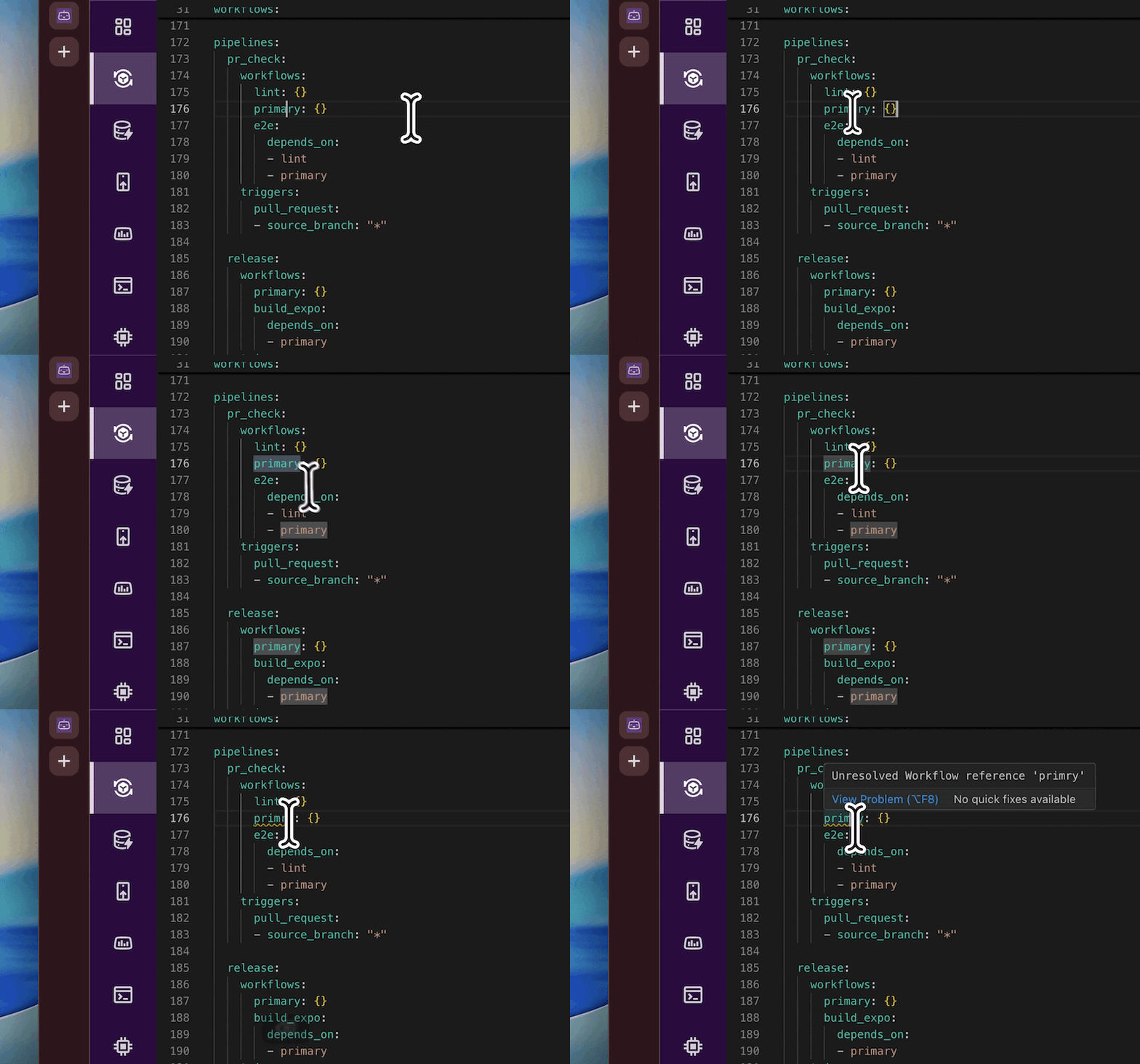
The language server in the Configuration YAML view catches the class of mistake that syntax checking structurally cannot:
- Workflow names that don't resolve to anything you've defined, like the mismatch above.
- Moves that are legal YAML but not allowed, such as referencing a utility workflow inside a pipeline.
- The everyday cases: typos, incomplete definitions, misused parameters.
Errors are underlined as you type, the way your editor flags a type error in application code. The loop goes from write, push, wait, fail, fix to write and correct in place, the same loop you already have for everything else in the repo.
Navigation that follows your config
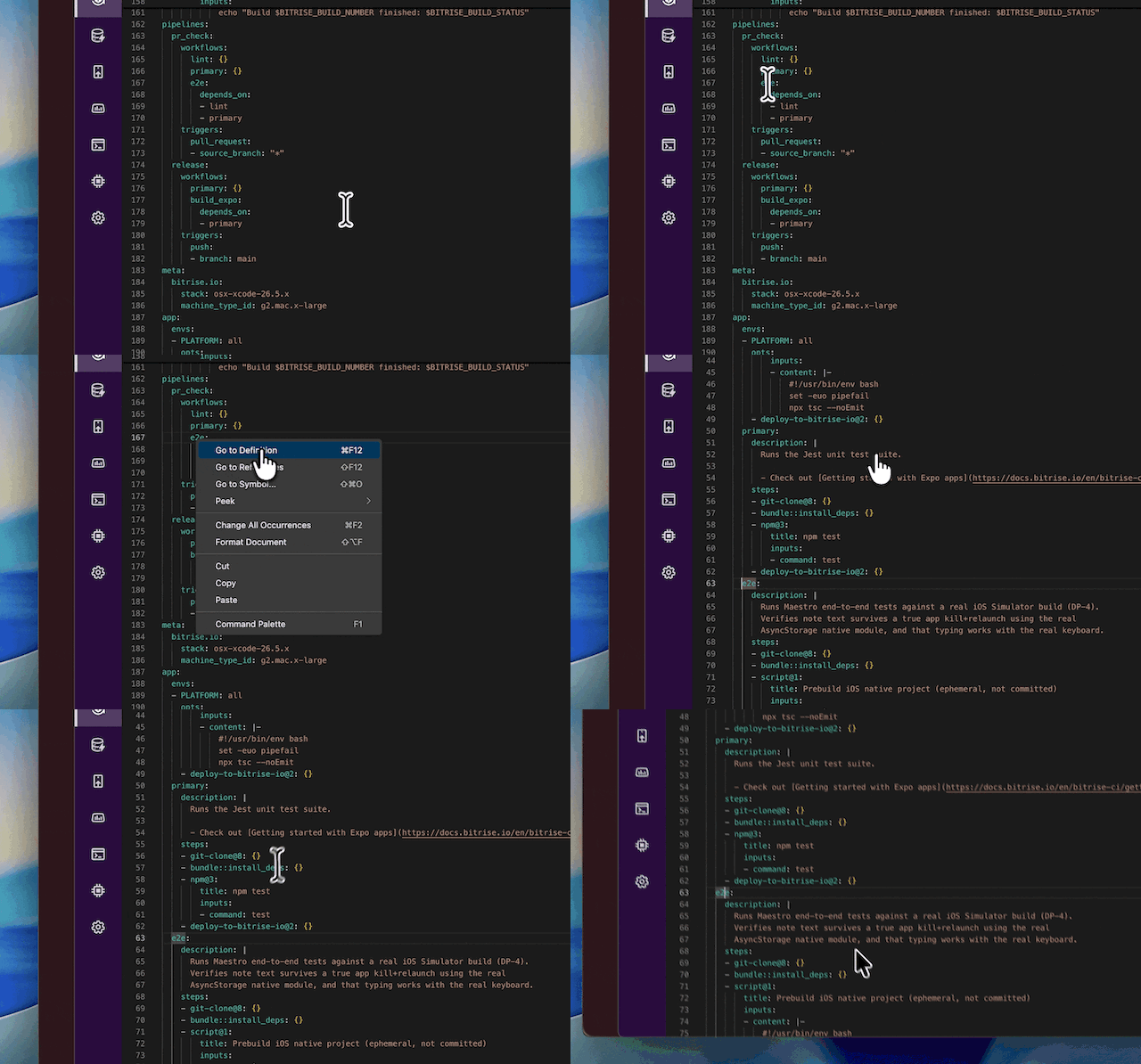
The language server already knows where everything is declared, so it can move you around the file too. cmd+click, F12, or right-click jumps from a reference to where it's declared, so from a pipeline running build, test, and deploy you land directly in any of those workflows.
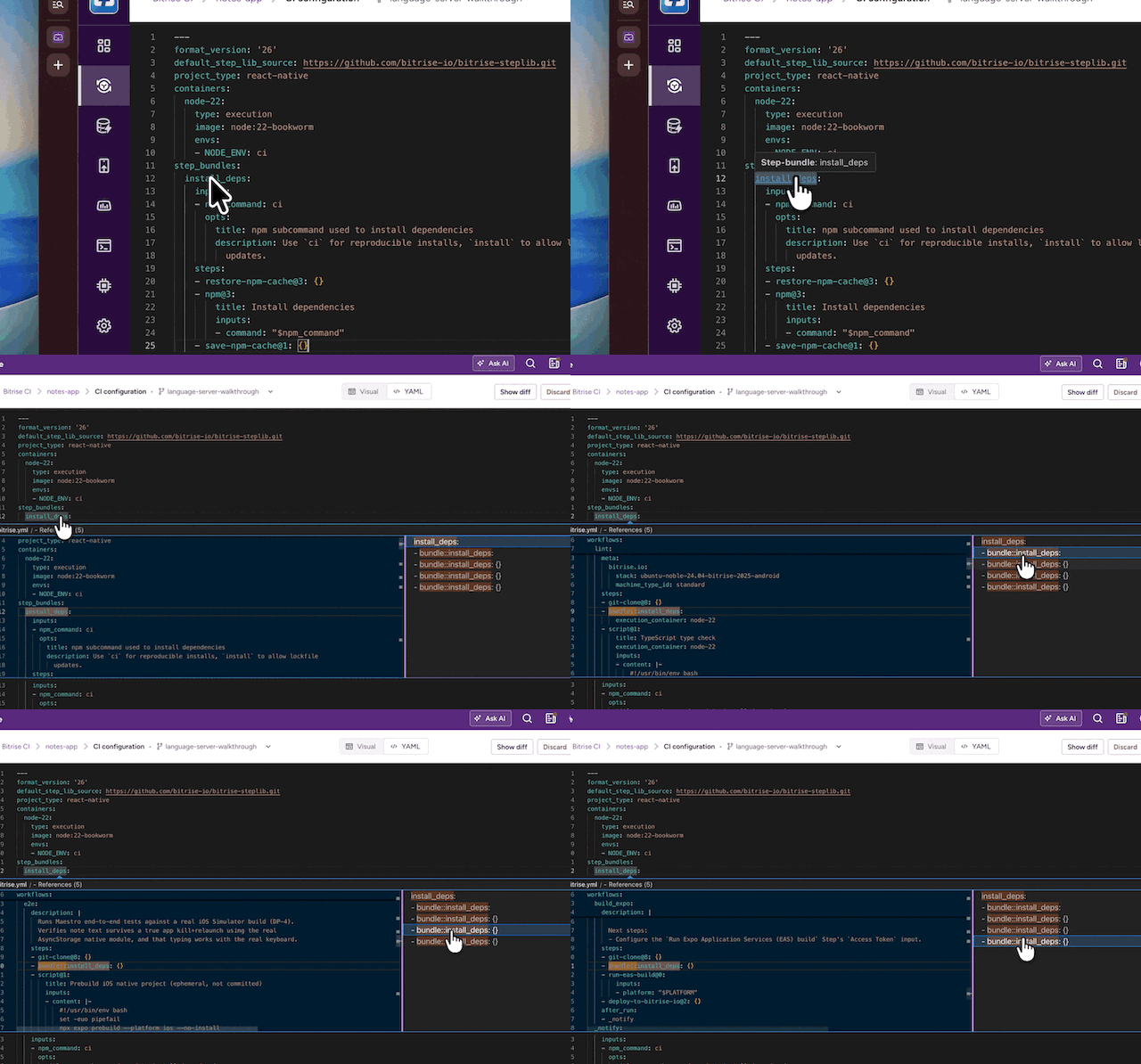
Go-to-reference runs the other way: start from a definition and see every place it's used, across workflows, step bundles, and containers. Before you rename or delete something, you can see what it affects. On a config that's grown past a couple hundred lines, that's often the only way to see the full blast radius before you touch something.
Autocomplete and hover
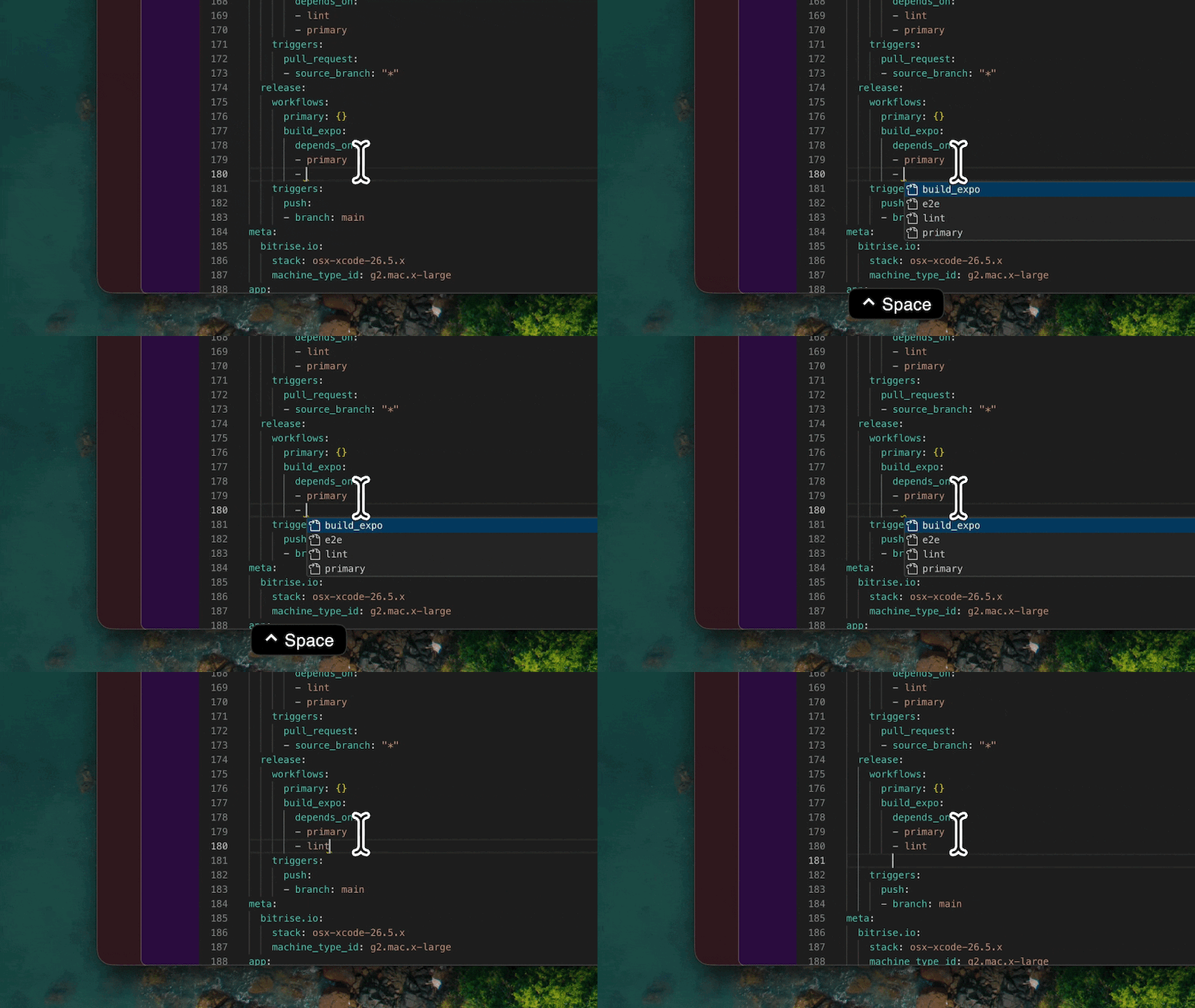
Press ctrl+space for the valid options at your cursor, filtered as you type: workflow, pipeline, and stage IDs, step bundle and container IDs, step names and versions, input fields.
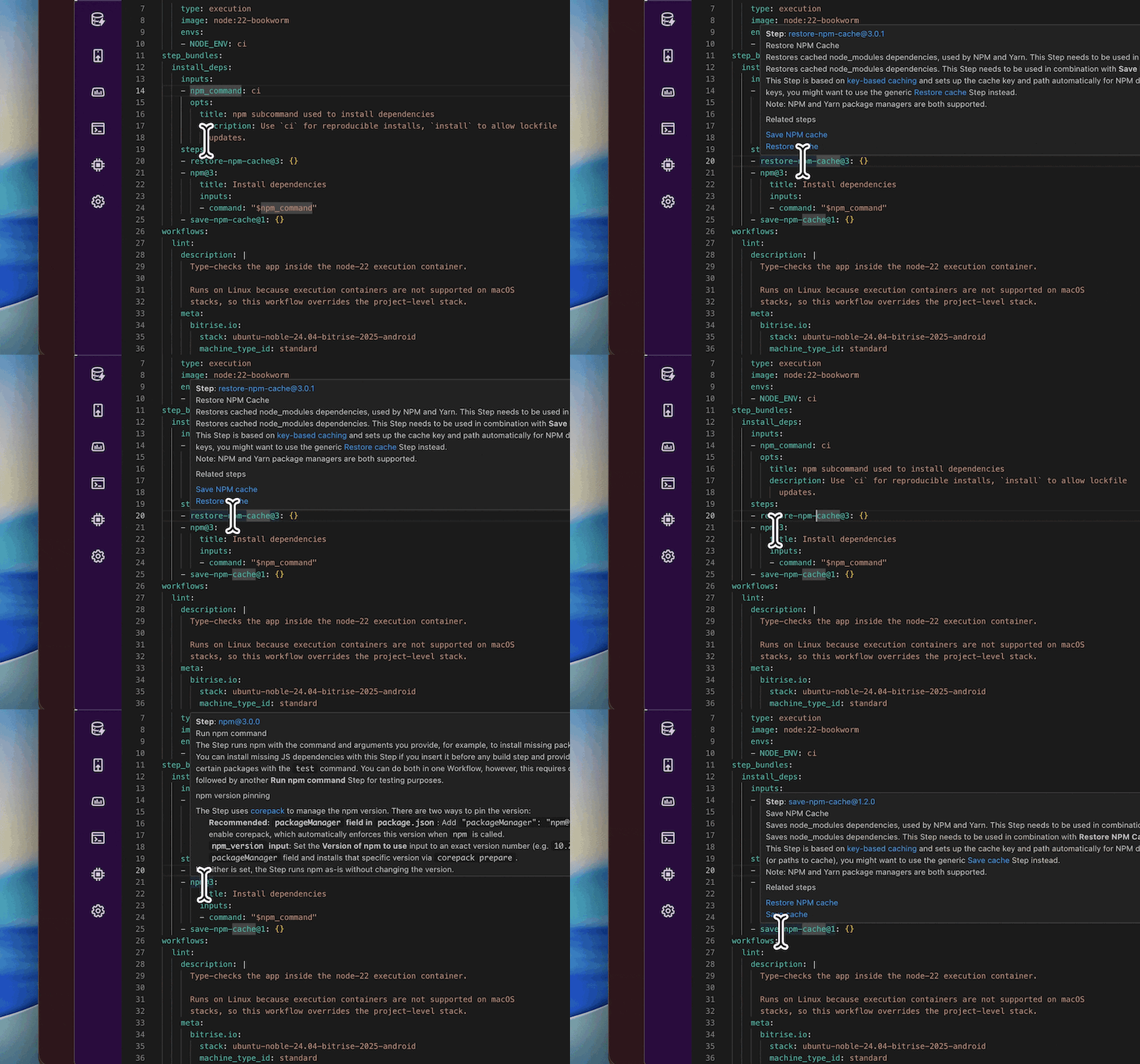
Hover over anything to see the reference for it in place: a step to see what it does, an input to see what it accepts, a workflow name in a pipeline to see its description. Combined with validation, you stop keeping a docs tab open next to your config.
All of this is in the Configuration YAML view of the Workflow Editor today. Nothing to install or set up, available on every plan down to Hobby.
This runs in the Bitrise editor, not as an extension in your own IDE. If you write bitrise.yml locally in your IDE and push, you won't get these checks until you open it in the Workflow Editor.
Get started for free
Get a 30-day free trial and join the 400,000+ mobile developers who already love Bitrise.
Start free trial